Heart Rate Widget for League of Legends
Everyone in chat saw the pentakill. Nobody saw the 178 BPM.
That is the part of the story your stream has been missing, and it is the part your viewers actually react to. HypeRate Desktop now reads what League of Legends is doing while you play and drops a card into your overlay at the moment that matters, with the heart rate that came with it.
There is nothing to install for it. No addon, no folder to pick, no command to type into chat. You switch the game on, you start a match, it works.
What you get
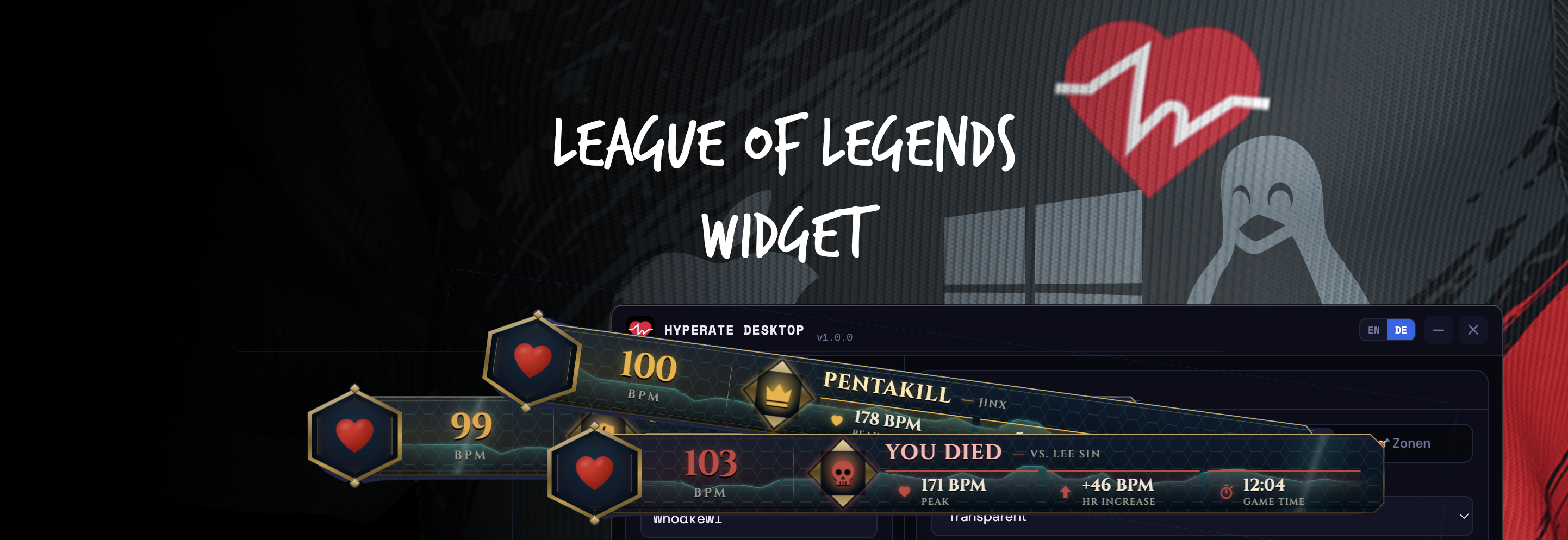
A slim widget that sits on top of everything (game, browser, OBS preview) and shows your live BPM. When something happens in the match, it slides open into a card:
- You Died: your peak heart rate, how far it jumped, and who got you
- Close Call: you survived on almost nothing, with the health you had left
- Pentakill: and Double, Triple and Quadra Kill
- First Blood
- Objectives: Dragon, Baron, Rift Herald, turrets, inhibitors
- Stolen objectives: their own, louder card
- Ace
- Victory / Defeat: your K/D/A and the peak heart rate of the entire match
The look is its own: an angular gold plate, a hex orb around the heart, an energy sweep across the card and sparks when your heart rate climbs. It does not look like the World of Warcraft overlay, and that is deliberate.
What you need
- HypeRate Desktop 1.0.8 or newer, free, for macOS and Windows
- A free HypeRate account
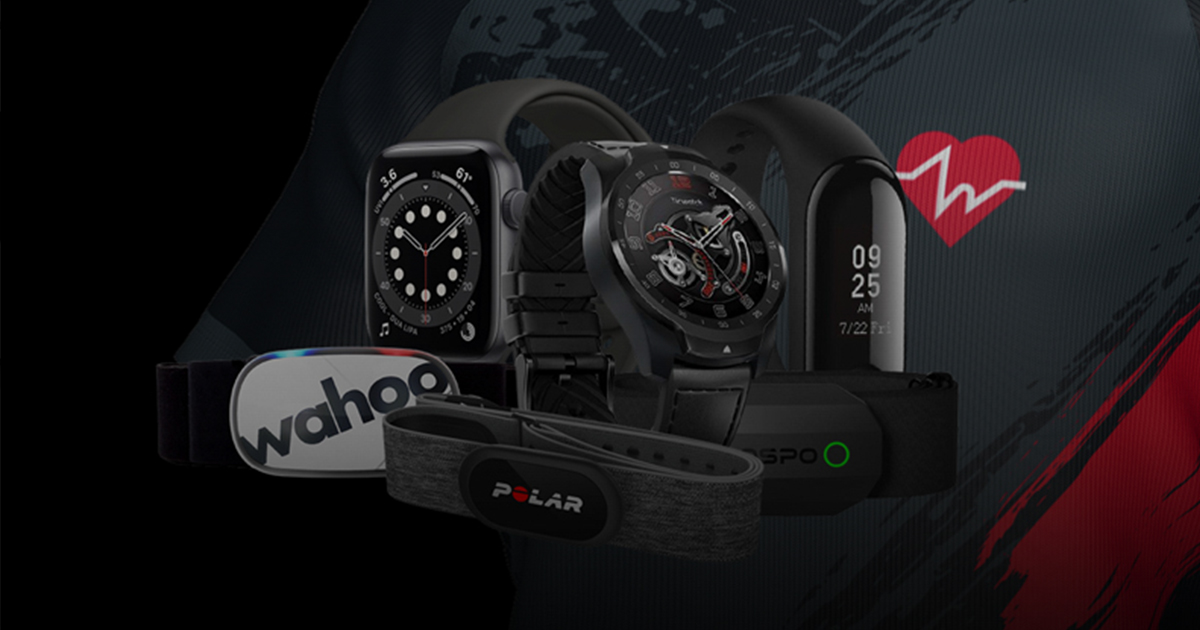
- A heart rate source: the HypeRate mobile app broadcasting from your watch or band, or a Bluetooth chest strap connected straight to the desktop app
- League of Legends, any mode, any map
That is the whole list. You do not need an addon, a Riot API key, or an account link.
Setup in 3 steps
- Open HypeRate Desktop and connect your heart rate, the way you already do
- Open the League of Legends card in the settings and switch it on
- Click Show Overlay, then drag the widget wherever you want it
Start a match. The first card lands on its own.
The position is remembered, so you only do the dragging once. Ctrl+Shift+H (Cmd+Shift+H on macOS) hides and shows the overlay if you need the screen clean for a moment.
Which cards you can get
| Card | When it appears | What it shows |
|---|---|---|
| You Died | You go down | Peak BPM, how much your heart rate rose, game time |
| Close Call | You drop low and survive | Peak BPM, health left, how long the fight lasted |
| Pentakill | Also Double, Triple, Quadra | Peak BPM, kills in a row, game time |
| Champion Slain | You get a kill | Peak BPM, who you killed, game time |
| First Blood | The first kill of the match is yours | Peak BPM, game time |
| Dragon / Baron / Herald Slain | You took it or helped | Peak BPM, Secured, game time |
| Turret Destroyed / Inhibitor Down | Structure goes down with you there | Peak BPM, Secured, game time |
| … Stolen | You sniped an objective | Peak BPM, Stolen, game time |
| Ace | You land the last kill of an ace | Peak BPM, game time |
| Victory / Defeat | The match ends | Peak BPM of the whole match, K/D/A, match time |
Champion Slain is off by default. In a good game you get a lot of kills, and a card for every one of them is noise. Turn it on in the settings if you want it.
Every card has its own switch. Only want deaths and pentakills? Switch the rest off. Cards you switch off still count towards your session statistics. They just do not interrupt.
Close Call: you pick the threshold
A close call is not the same thing for everyone. A support who lives on 15% health all game does not want a card every thirty seconds. A top laner who never drops below half might want one at 20%.
So you set it: a slider from 5% to 30%, at 10% by default. Survive a fight below your threshold and the card comes with the lowest health you actually hit and how long the fight ran.
The fight window closes on its own once you are back near full health, so a card never arrives while you are still being chased.
Objectives do not spam
Push a lane and three turrets can fall in under a minute. The overlay collapses repeats of the same objective within 25 seconds, so you get one card instead of a queue of identical ones.
Assists count. You do not need the last hit on Baron for the card. Being part of it is enough. Stolen objectives are exempt from the collapsing and always get their own card, because stealing Baron is not a routine event.
Is this allowed?
Yes, and it is worth explaining why, because it is a fair question.
League of Legends ships with the Live Client Data API, a small, local, read-only interface that the game client itself provides at 127.0.0.1:2999 for exactly this kind of thing. Overlay tools, stat trackers and coaching apps use it. HypeRate Desktop reads from it four times a second while a match runs, and that is all it does.
It never sends input to the game. It never touches the game's files or memory. It does not talk to Riot's servers. When the match ends, the interface disappears and the app goes back to waiting.
Tips for streamers
- Capture the widget as a window in OBS. It is a real desktop window, so window capture works and you can place it independently of your game capture.
- Hover over the widget to replay the last card. Useful when a clip needs the card on screen again.
- Put it where deaths hurt. Bottom-centre near the respawn timer reads well, because that is where eyes already go after you die.
- Switch Victory off for tournament play if you would rather not broadcast the result the instant the nexus falls.
Troubleshooting
Nothing happens during a match. Check that the League of Legends card is switched on and that the overlay is visible. The card in the settings shows the mode and the champion once it sees a live match. If it stays on Waiting, the app is not seeing the game.
The card shows a dash instead of a BPM value. The game event arrived but no heart rate did. Check the connection at the top of the app. The dash means the card had nothing to show, not that the card is broken.
I get far too many cards. Switch the ones you do not want off. Deaths and pentakills alone make a very calm overlay.
Close Call never triggers. Your threshold is probably too strict. Raise it and try again. 15% is a good starting point if 10% never fires for you.
It worked yesterday and not today. Restart HypeRate Desktop with the game closed, then start the match. The app looks for the game continuously, but a client that crashed can leave the interface in a strange state.
Does it work in the Practice Tool? Yes. It is a good way to see a card without risking a game: walk into the enemy turret and you will get your Close Call, or your death.
FAQ
Does this work in ARAM? Yes. The app reads whatever mode the client reports, so ARAM, Summoner's Rift, custom games and the Practice Tool all work.
Do I need an addon or a Riot API key? No. Neither. The data comes from the game client on your own machine.
Can I get banned for this? No. The Live Client Data API is a documented part of the League client, the app only reads from it, and it never sends input or modifies the game.
Does it work on macOS? Yes. HypeRate Desktop runs on macOS, Windows and Linux; the League integration works wherever League itself runs, so macOS and Windows.
What does it cost? Nothing. HypeRate Desktop is free and open source.
Which heart rate devices work? Anything HypeRate supports: Apple Watch, Wear OS, Garmin, Polar, Fitbit, Amazfit and more through the mobile app, or a Bluetooth chest strap straight into the desktop app.
Can I use it together with the World of Warcraft overlay? Yes. Both can be on at the same time, and the widget switches to whichever game is actually running. The World of Warcraft overlay has its own guide.
Can my smart home react to this too? It can. Every card you see here can also be sent to Home Assistant over MQTT, so a lamp turns red when you die. That is covered in Your Heart Rate in Home Assistant.
Download HypeRate Desktop for macOS, Windows and Linux. Free and open source.
Now go get one. 🐉