The Best Free Heart Rate Overlay for Streamers & Gamers — HypeRate Desktop
What if your viewers could feel your clutch moments — not through your voice, not through your face, but through raw biometric data updating live on screen? Not a static number in the corner. Something that spikes during a 1v4, drops when you finally get into the zone, and tells a story no camera can capture.
That's exactly what HypeRate Desktop does.
HypeRate Desktop is a free, open-source desktop app that pulls your live heart rate from your smartwatch and displays it as a floating, always-on-top overlay on your screen. It works above every game, every app, every window — and it takes under a minute to set up.
What Is HypeRate Desktop?
At its core, HypeRate Desktop is a bridge between your wearable and your stream. It connects to HypeRate — a platform that streams live BPM data from smartwatches, chest straps, and fitness trackers — and renders it as a native desktop overlay widget that floats above everything else on your screen.
The widget shows your current BPM with an animated beating heart. It's draggable, resizable, and customizable down to the font. It lives in your system tray, uses almost no resources, and gets out of your way the moment you don't need it.
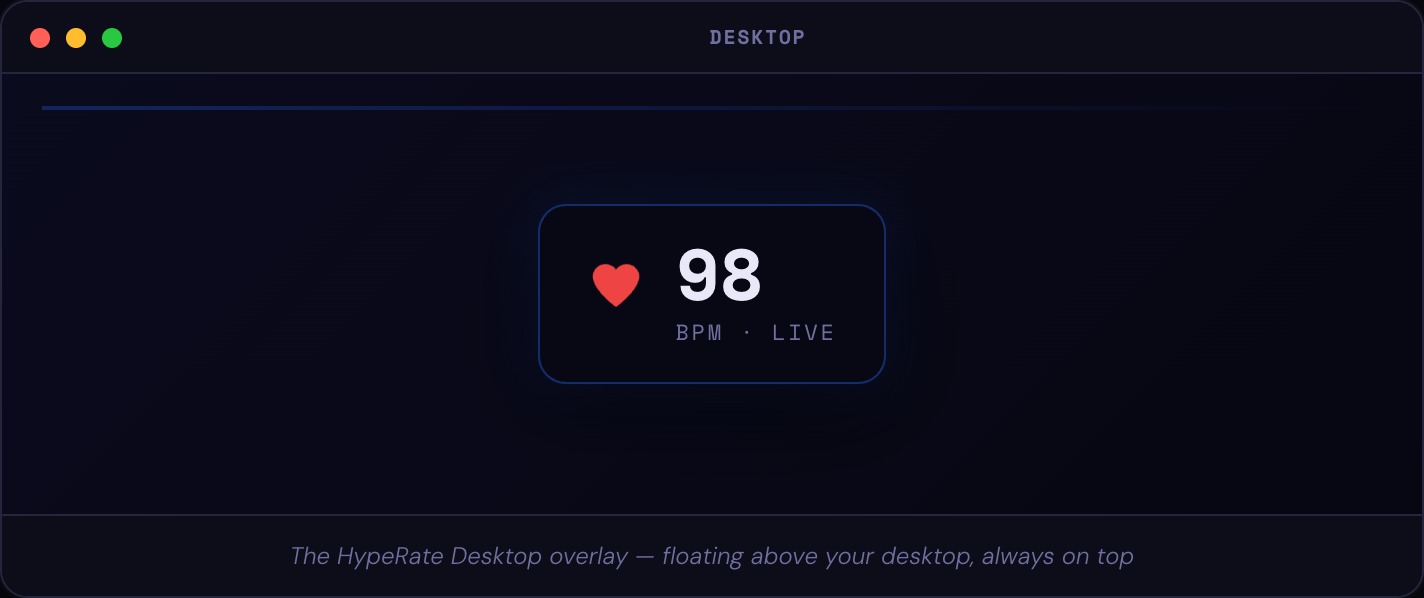
No browser source. No OBS plugin to maintain. Just a small, fast native window that stays exactly where you put it.
The Overlay
The overlay widget is the whole point, and it's been designed to be as unobtrusive as possible while still being readable at a glance.
You drag it onto screen, position it wherever you like — top-left corner, bottom-right, next to your minimap — and it stays there. Even across reboots. The position is saved automatically every time you move it.
The widget updates in real time as your heart rate changes. If you've enabled Heart Rate Zones, it also changes color automatically depending on your effort level — green when you're calm, climbing through yellow, hitting red when things get intense. Your viewers can read your state without you saying a word.
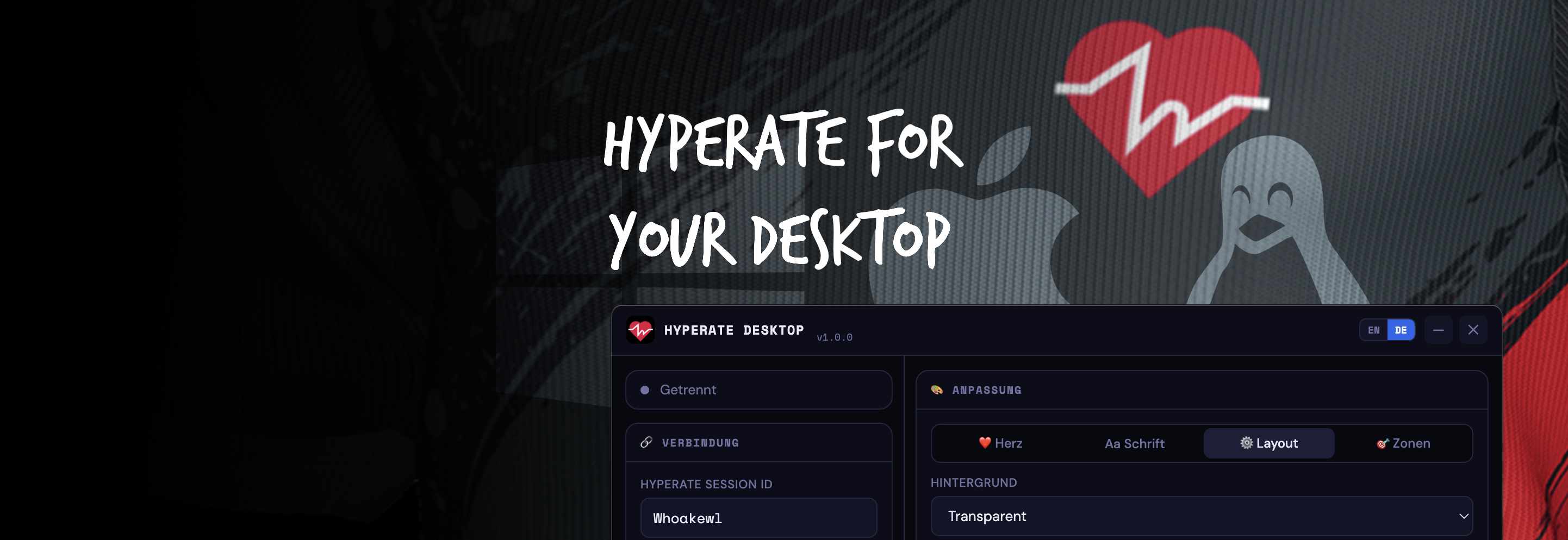
The Settings Panel
Everything is configured through a clean settings window that you open when you need it and minimize when you don't. The app keeps running in your system tray regardless.
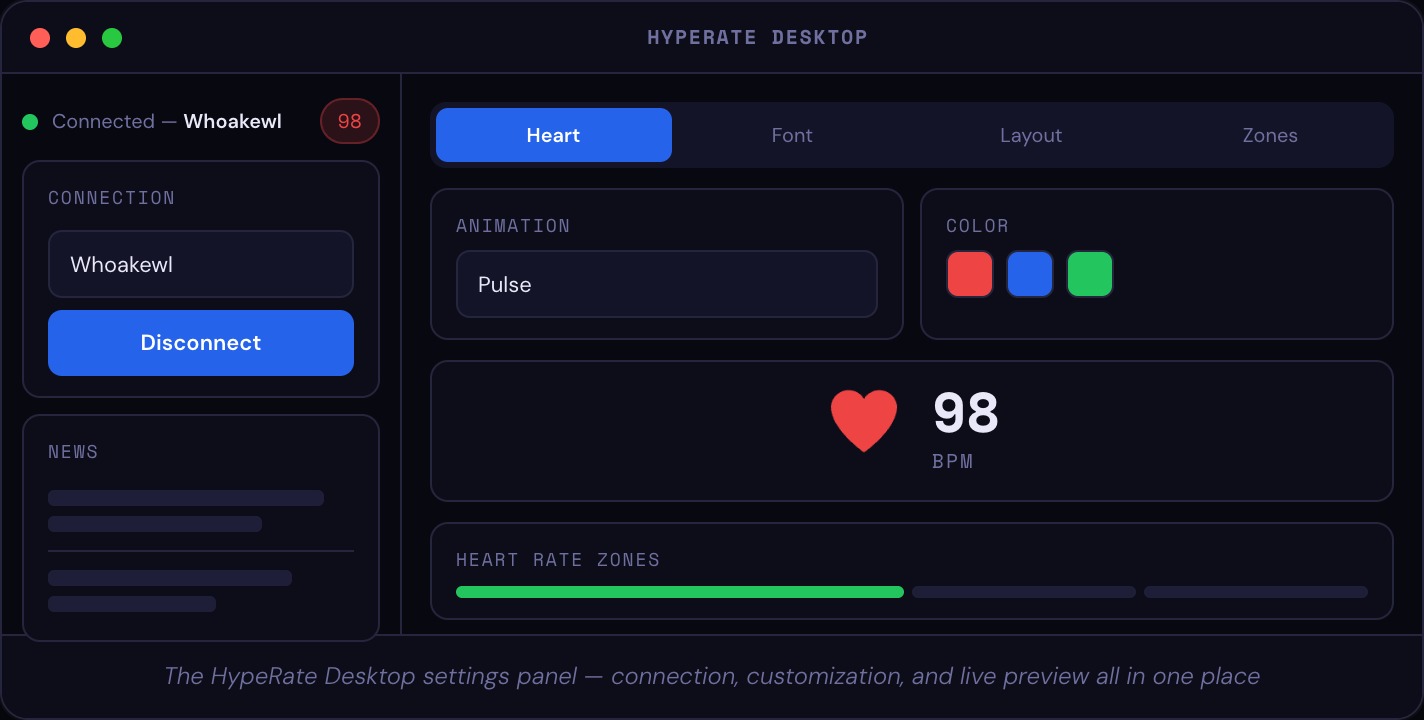
Connection is a single field: paste your HypeRate Session ID, click Connect, and the status indicator turns green. From there, the Heart, Font, Layout, and Zones tabs let you shape the overlay exactly the way you want it. Every change applies live — there's no "save and restart."
Customization
HypeRate Desktop gives you more control over the overlay's appearance than most people will ever need.
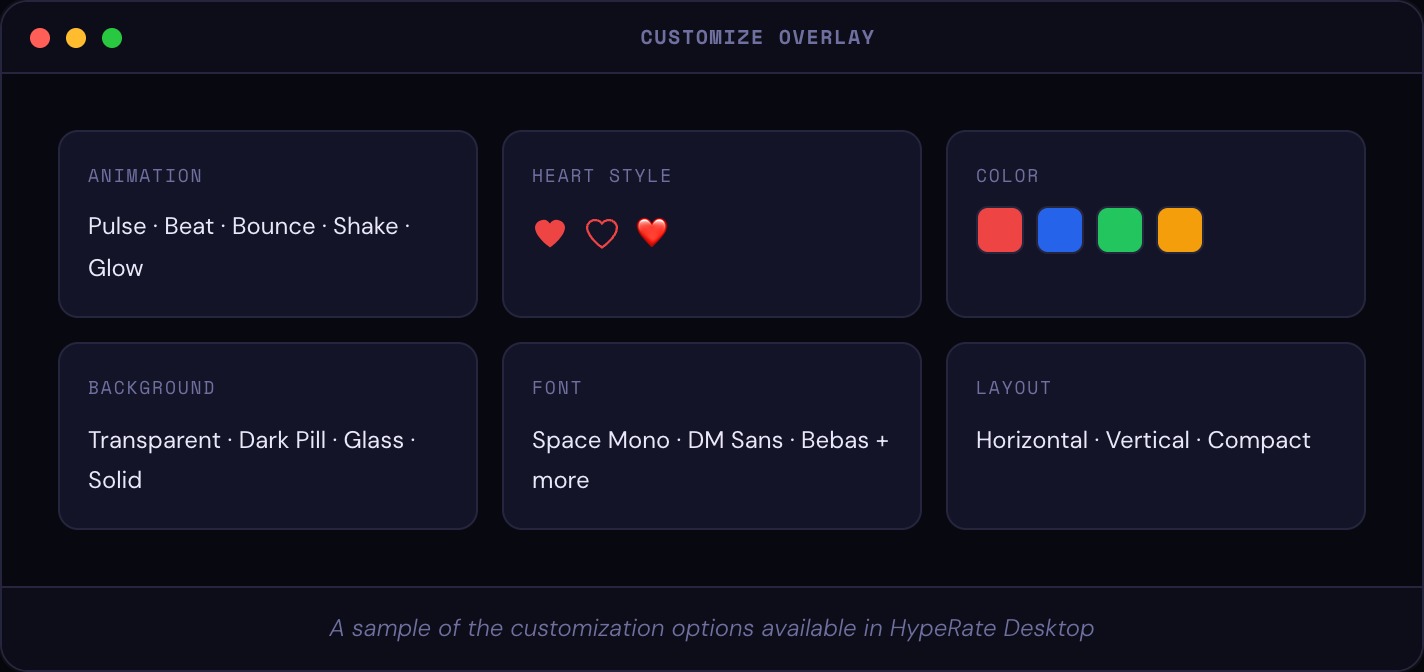
Heart animations — choose from Pulse, Beat, Bounce, Shake, or Glow. The animation speed scales automatically to your actual BPM. Faster heart rate, faster animation. You can also turn it off entirely.
Heart Rate Zones — enable this and the overlay shifts color as you move between effort levels. You define the BPM thresholds for each zone and give them custom names — those names show up in Discord Rich Presence too. It's entirely yours to tune.
Background styles — Transparent (just the widget, no background), Dark Pill (rounded dark card), Glassmorphism (frosted glass blur), or Solid/Gradient. Each looks completely different depending on what's running behind it.
Font & Layout — Space Mono for a techy look, DM Sans for something cleaner, or pick your own. Horizontal, vertical, and compact layouts let you fit the overlay into tight spots on screen.
Heart Rate as a Streaming Element
Competitive streamers have been showing heart rate overlays for years — but most setups require OBS browser sources, external services, or paid subscriptions that lock you into a specific device. HypeRate Desktop is different in three ways.
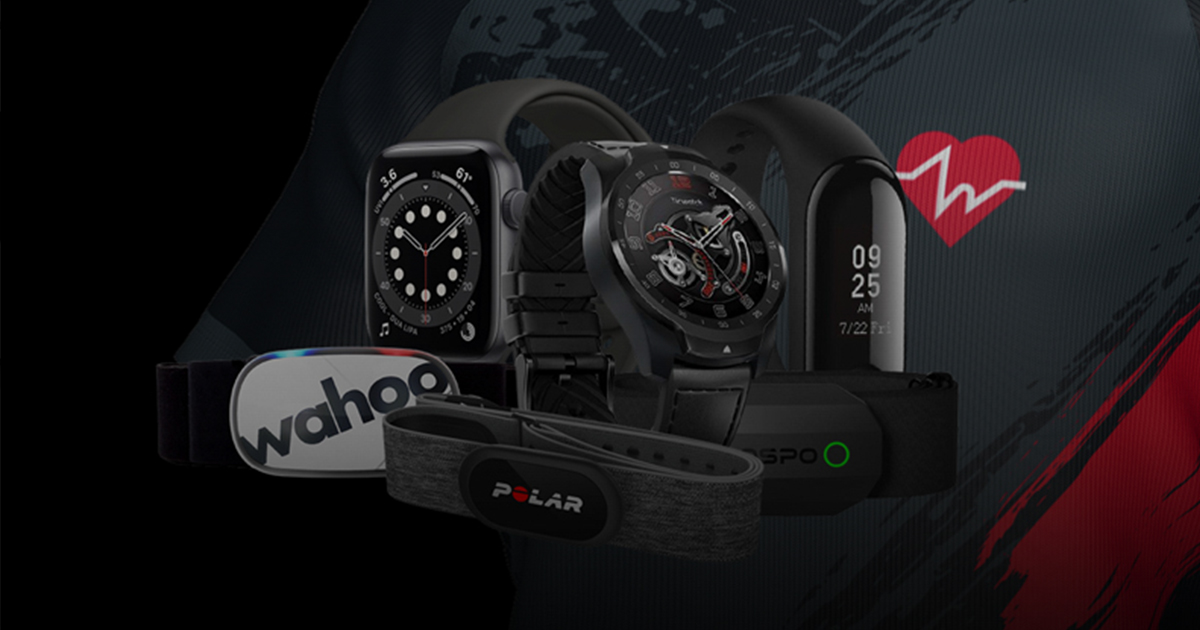
First, it's hardware-agnostic. Any device HypeRate supports works: Apple Watch, Wear OS, Garmin, Polar, Fitbit, Amazfit, and more. If the HypeRate app on your phone shows your BPM, HypeRate Desktop can put it on screen.
Second, it's always on top natively. No OBS scene management needed. The overlay floats above your game at the OS level, which means it's there whether or not OBS is even open.
Third, it's free and open source. No subscription, no device lock-in, no paywalled customization. The code is on GitHub.
Bluetooth Direct — No Phone Required
Starting with version 1.0.3, HypeRate Desktop can connect directly to any BLE heart rate strap — without a phone, without the HypeRate app, and without an internet connection.
Just open the Bluetooth tab in settings, scan for nearby devices, and tap to connect. The app handles the rest. Supported devices include Garmin, Polar, Wahoo, Coospo, and any chest strap that broadcasts a standard Bluetooth heart rate signal.
Auto-reconnect is built in. If you step out of range mid-session, the app waits and reconnects automatically the moment your strap comes back into range — no manual intervention required.
This makes HypeRate Desktop genuinely useful beyond streaming: athletes who want a workout overlay without touching their phone, or anyone who prefers a direct connection over cloud routing.
VRChat Integration via OSC
HypeRate Desktop supports OSC output, which lets you send your live BPM directly into VRChat as an avatar parameter — no browser source, no OBS plugin, no third-party tool.
OSC (Open Sound Control) is the protocol VRChat uses to let external apps drive avatar states in real time. Once you enable OSC output in HypeRate Desktop and turn on OSC in VRChat (Options → OSC → Enable), your heart rate is automatically sent to the
/avatar/parameters/Heartrate parameter.From there, your avatar can react to your actual physiology. Ears perk up when your heart rate climbs. A visual effect triggers when you hit a certain BPM threshold. Whatever your avatar creator built for it — HypeRate Desktop feeds it live data.
Discord Rich Presence
Since version 1.0.4, HypeRate Desktop can broadcast your live heart rate directly to your Discord profile via Rich Presence.
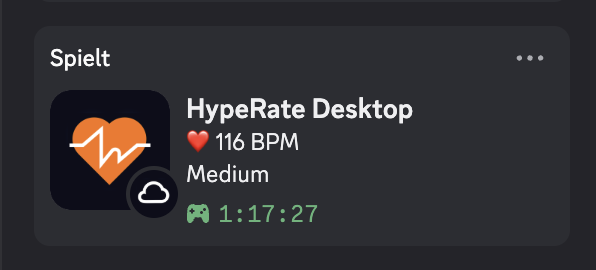
While a session is active, Discord shows your current BPM and your active heart rate zone name — visible to anyone who looks at your profile, checks the server member list, or hovers over your name. No stream required. Just playing and your viewers already know you're in the red.
The presence updates every 15 seconds (Discord's rate limit), reflects your custom zone labels and colors, and shows a small badge indicating whether you're connected via HypeRate Cloud or Bluetooth Direct. A button in your profile links directly to desktop.hyperate.io.
To enable it: Settings → Discord → toggle on. Discord needs to be running first.
> Note: Discord doesn't show your own Rich Presence on your own profile — it's only visible to others. To verify it's working, check the member list in a server or ask a friend.
Using It With OBS & Streaming Software
Because HypeRate Desktop is a native window, it integrates with any streaming or recording software with zero configuration.
Display Capture in OBS captures your entire screen including the overlay. It's the simplest option and requires nothing extra on your part.
Window Capture lets you include the overlay alongside specific app captures. Useful for multi-scene setups where you only want the heart rate visible in certain scenes.
Game Capture works as long as your game runs in Borderless Windowed mode — exclusive fullscreen blocks all overlays at the OS level. Borderless windowed is a one-click setting in almost every modern game, and it's better for streaming anyway.
Streamlabs, XSplit, and every other streaming tool work the same way. The overlay is just a window — it plays by the same rules as everything else on screen.
> Tip: Press `Ctrl+Shift+H` (or `Cmd+Shift+H` on Mac) to hide the overlay during loading screens and bring it back the moment gameplay starts — without touching OBS or leaving your game.
Compatible Devices
HypeRate Desktop works with any heart rate device that's compatible with the HypeRate platform. That includes:
- Garmin
- Polar
- Fitbit
- Amazfit
- Any BLE heart rate strap (Wahoo, Coospo, Polar H10, etc.) — connected directly via Bluetooth, no phone needed
If the HypeRate app on your phone shows a BPM, HypeRate Desktop can display it. And if you own a standard BLE chest strap, you don't need the HypeRate app at all.
Free to Download — No Account Required
HypeRate Desktop is completely free. No subscription, no in-app purchases, no login wall. Download it, connect your HypeRate Session ID, and you're live.
If you use Bluetooth Direct, you don't even need a HypeRate ID — just pair your strap and go.
The app is available for:
- macOS — Apple Silicon (M1/M2/M3/M4) and Intel
- Windows — Windows 10 and 11
- Linux — AppImage and tar.gz
Where to Download
desktop.hyperate.io — download directly for macOS, Windows, or Linux.
GitHub — source code, open issues, contribute.
Final Thoughts
HypeRate Desktop does one thing and does it well: it puts your live heart rate on screen, above everything, with no friction. The setup is fast, the customization is deep, and the result is one of the most genuinely engaging pieces of stream information you can give your viewers.
Whether you're a competitive FPS streamer trying to prove you're calm under pressure, a fitness creator pushing through intervals, or just someone who thinks heart rate data makes content more interesting — HypeRate Desktop is the easiest way to get it on screen. Connect via cloud, pair directly over Bluetooth, broadcast to VRChat, or let your Discord friends see your BPM in real time. It all works out of the box.
And it's free. So there's no reason not to try it.
```