
How to Add Live Fitness Rings to Your Stream (OBS + HypeRate)
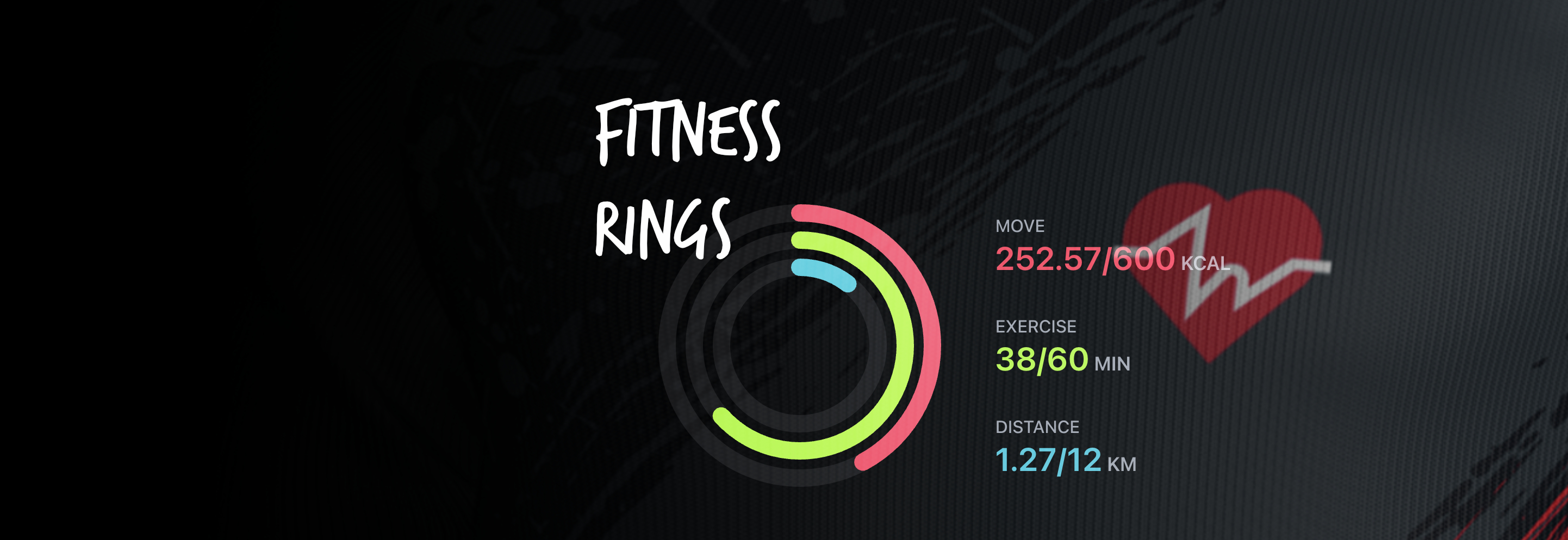
Activity rings make fitness progress instantly visible. When viewers see your Move, Exercise, and Distance rings filling in real-time during a workout stream, they're watching you hit goals live—not reviewing a summary later.
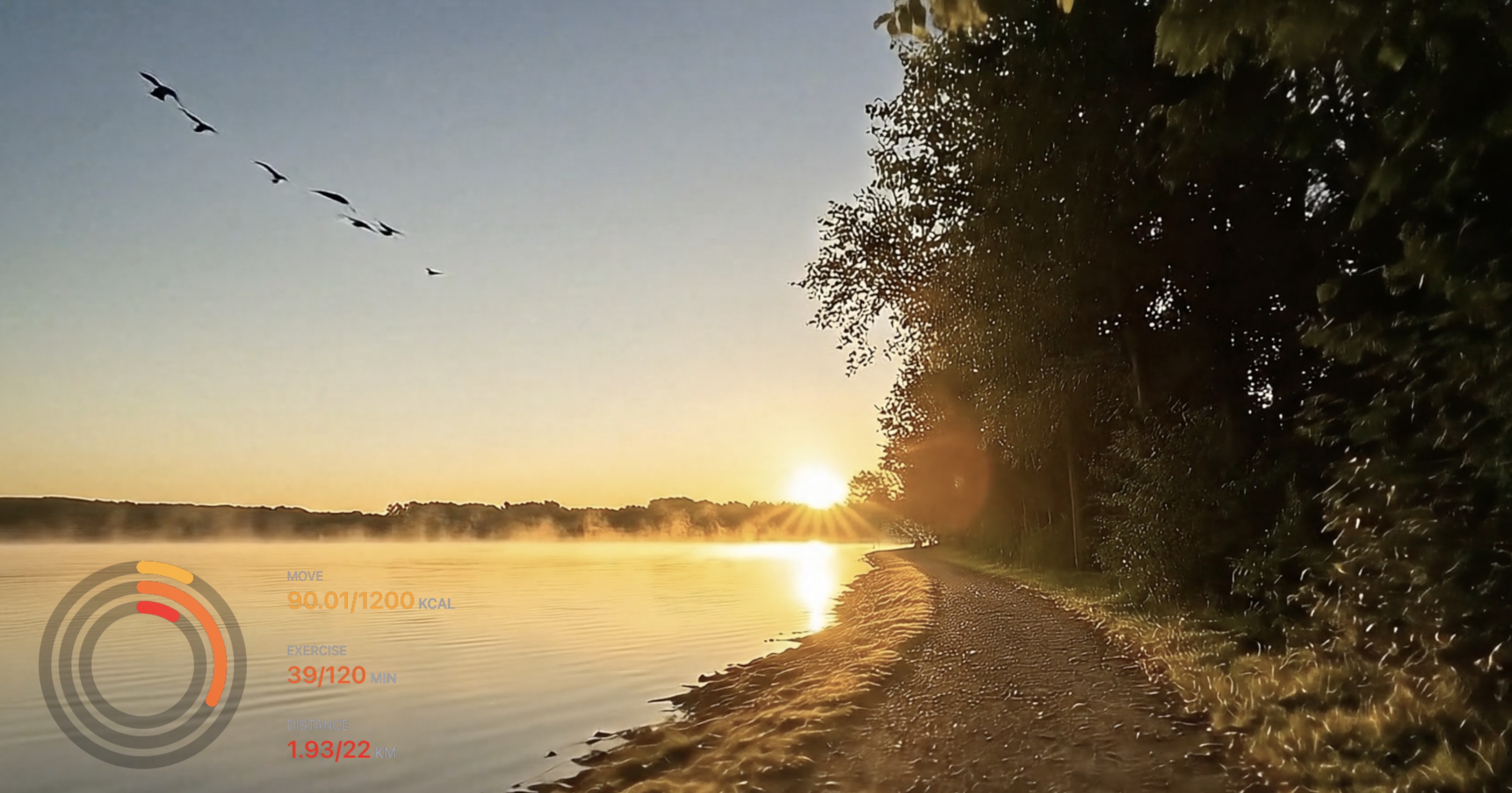
HypeRate Fitness Rings track your activity in real-time and display three animated rings on stream: Move (calories burned), Exercise (active minutes), and Distance (kilometers traveled). No wearables required—just your phone and OBS. Here's how to set it up.
What Are Fitness Rings?
Fitness rings visualize daily activity goals as three concentric circles. Each ring fills as you progress toward your target:
- Move Ring (Outer): Tracks calories burned through all activity
- Exercise Ring (Middle): Measures active minutes (heart rate elevated)
- Distance Ring (Inner): Logs kilometers traveled on foot or bike
When all three rings close, you've hit your daily targets. The visual is instantly recognizable and perfect for fitness streams—viewers see progress happen in real-time as you work out.
Why Streamers Use Fitness Rings
Fitness rings turn abstract effort into concrete progress. When chat sees your Exercise ring jump from 12/30 to 18/30 minutes during a HIIT workout, they understand exactly how much work you're putting in.
- Workout streams: Show real-time progress toward daily fitness goals during live training sessions
- IRL fitness content: Rings fill during outdoor runs, bike rides, or urban exploration
- Accountability streams: "Close all three rings live on stream" becomes a measurable, visual challenge
- Marathon/endurance content: Long streams where rings progress slowly create natural checkpoints and payoffs
- Variety fitness: Mix gaming, chatting, and workout blocks—rings show when you're actually active
The overlay works best when viewers can watch rings fill during the stream. A 30-minute workout or IRL bike ride gives plenty of visible progress.
Customization Options
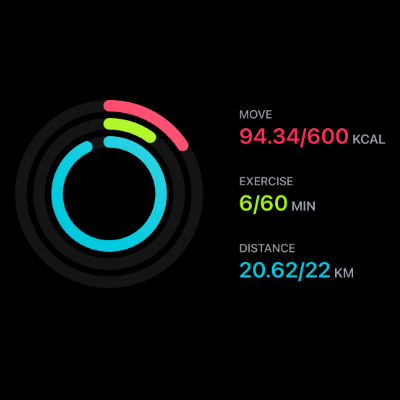
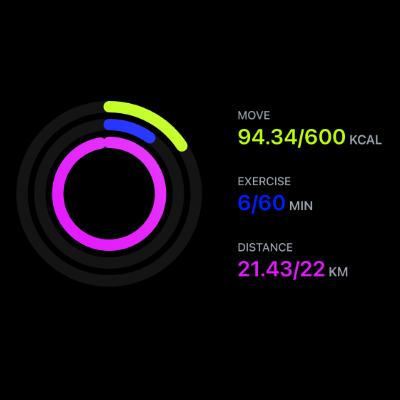
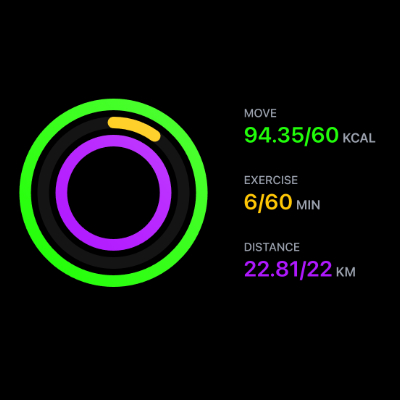
HypeRate Fitness Rings are fully customizable to match your stream aesthetic. Adjust colors for each ring independently:
- Move Ring Color: Customize outer ring color (default: red/pink gradient)
- Exercise Ring Color: Set middle ring color (default: bright green/lime gradient)
- Distance Ring Color: Adjust inner ring color (default: cyan/turquoise gradient)
- Goal Targets: Set daily Move (kcal), Exercise (minutes), and Distance (km) goals
- Layout & Size: Resize widget to fit your stream layout
Setup (60 Seconds)
Step 1: Get Your Fitness Rings Link
- Open HypeRate app on your phone (iOS) or go to rings.hyperate.io
- Enter your HypeRate device ID
- Set daily goals: Move (kcal), Exercise (min), Distance (km)
- Customize ring colors (optional)
- Tap "Copy URL for OBS"
Step 2: Add to OBS
- Open OBS on your streaming PC
- Click the + under Sources → Browser
- Paste your HypeRate Fitness Rings link
- Set width: 400px, height: 400px (adjust to preference)
- Click OK
Step 3: Go Live
- Start your workout, IRL activity, or fitness stream
- Rings fill automatically as you burn calories, stay active, and cover distance
- Chat watches your progress live
- Done
The link includes your device ID, goals, and color settings—everything works immediately without additional configuration.
Best Use Cases
Live Workout Streams: Add rings to your workout layout. Chat sees Exercise minutes climb during HIIT, Move calories spike during cardio, and Distance rack up during treadmill runs. When all three rings close, the stream has a natural victory moment.
IRL Fitness Content: Take your phone on outdoor runs, bike rides, or hiking streams. The rings overlay shows exactly how much activity you're accumulating. Combine with Speedometer to show speed + fitness progress simultaneously.
Accountability Challenges: "Close all three rings on stream" is a simple, visual goal viewers instantly understand. Stream until all rings complete—no stopping early.
Marathon/Long Streams: Multi-hour streams where fitness isn't the main focus but you want to gamify movement. Rings fill slowly as you walk around, stretch, or take active breaks between gaming sessions.
Fitness + Gaming Hybrid: Stream fitness blocks (yoga, calisthenics, cycling) mixed with gaming. Rings show when you're actually working out vs. sitting. Creates natural content variety.

How Activity Tracking Works
HypeRate Fitness Rings use your phone's or Apple Watch sensors (accelerometer, GPS) to estimate calories, active minutes, and distance:
- Move (Calories): Calculated from heart rate data (if heart rate monitor connected) or motion intensity
- Exercise (Minutes): Counts minutes where heart rate is elevated or motion intensity is high
- Distance (Kilometers): Uses GPS to track outdoor movement; estimates distance for indoor workouts based on step count
The widget updates live as you accumulate activity.
Fitness Rings + Heart Rate = Ultimate Fitness Overlay
Stack HypeRate widgets for complete fitness transparency:
- Fitness Rings show daily goal progress
- Heart Rate shows live workout intensity
- Speedometer shows real-time speed (for runs/rides)
Three browser sources in OBS, zero accounts needed. When viewers see heart rate spike during a sprint and watch your Exercise ring jump forward, the effort is undeniable.
Next Steps:
- Add HypeRate Heart Rate to show live workout intensity
- Combine with HypeRate Speedometer for outdoor fitness streams
- Explore the full widget gallery for more fitness overlay designs