
Supercharge Your Twitch Stream: Firebot + HypeRate Integration
Get ready to enhance your stream with HypeRate + Firebot!
Firebot, one of the most all-in-one used streaming bots, now has a beautiful and community-created new extension for HypeRate! This powerful integration lets you share your real-time heart rate with your viewers, turning intense gaming sessions and exciting moments into a shared, interactive experience for your community.
What is Firebot?
Firebot is a free, open-source Twitch bot full of incredible features designed to elevate your streams. Think of it as your virtual streaming assistant, handling everything from:
Automated chat moderation: Keep your chat a positive space with customizable filters and moderation tools.
- Engaging commands: Let your viewers interact with fun commands, sound effects, and mini-games.
- Loyalty systems: Reward regular viewers with points, currencies, and special perks.
- Alerts: Celebrate every new sub, follow, and donation with unique on-stream alerts.
- And much more!
With HypeRate integrated into Firebot, you can:
- Visually showcase your heart rate: Share your real time heart rate with your viewers and show them your excitement (or fear!) during your streams and jump scares.
- Trigger hyped up events: Automate all kinds of effects, custom alerts, or hilarious challenges when your heart rate hits a certain level. (Please stay safe!!)
- Deepen audience connection: Turn your stream into a shared experience, as your viewers react to intense moments alongside you.
Getting Started with the Firebot HypeRate Extension
Ready to unleash the hype? Here's how to get started:
- Download the HypeRateScript.js here: GitHub
- Move it to the following directory:
- Windows: %appdata%\Firebot\v5\profiles\PROFILE\scripts
- MacOS: ~/Library/Application Support/Firebot/v5/profiles/PROFILE/scripts
- Linux: ~/.config/Firebot/v5/profiles/PROFILE/scripts
- Start Firebot -> Settings -> Scripts -> Enable Customs Scripts & press Manage Startup Scripts
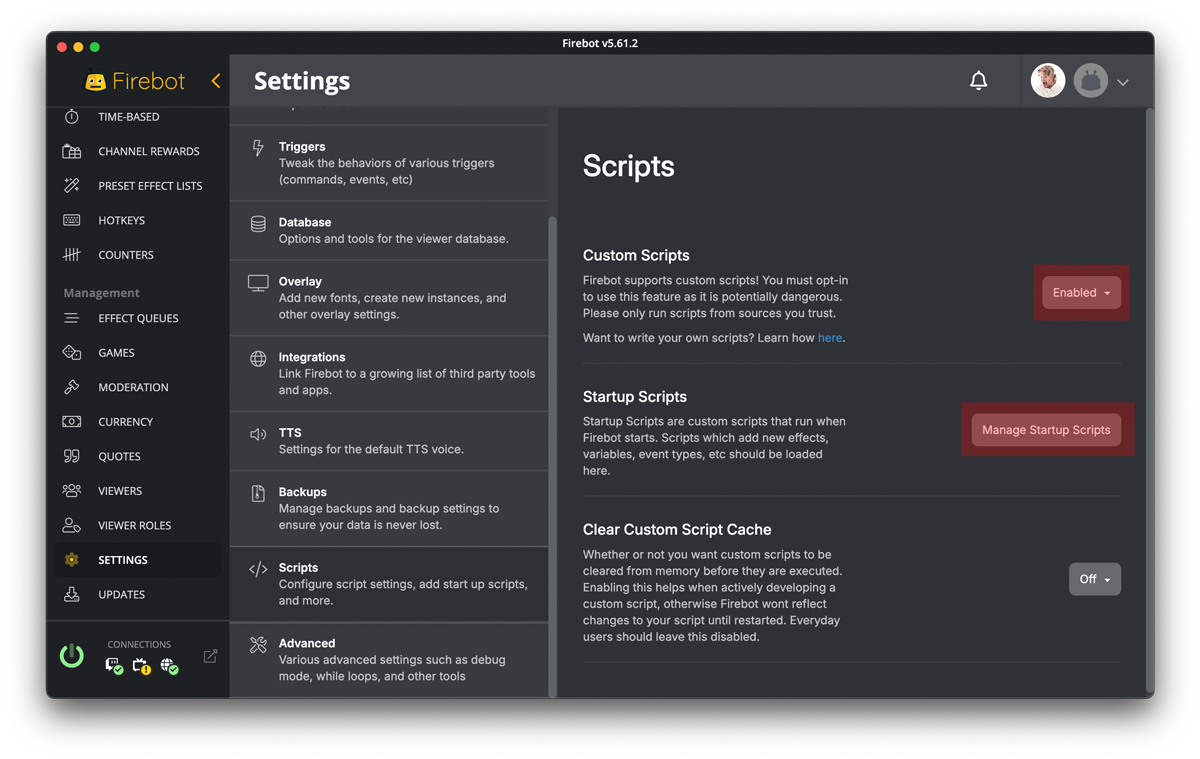
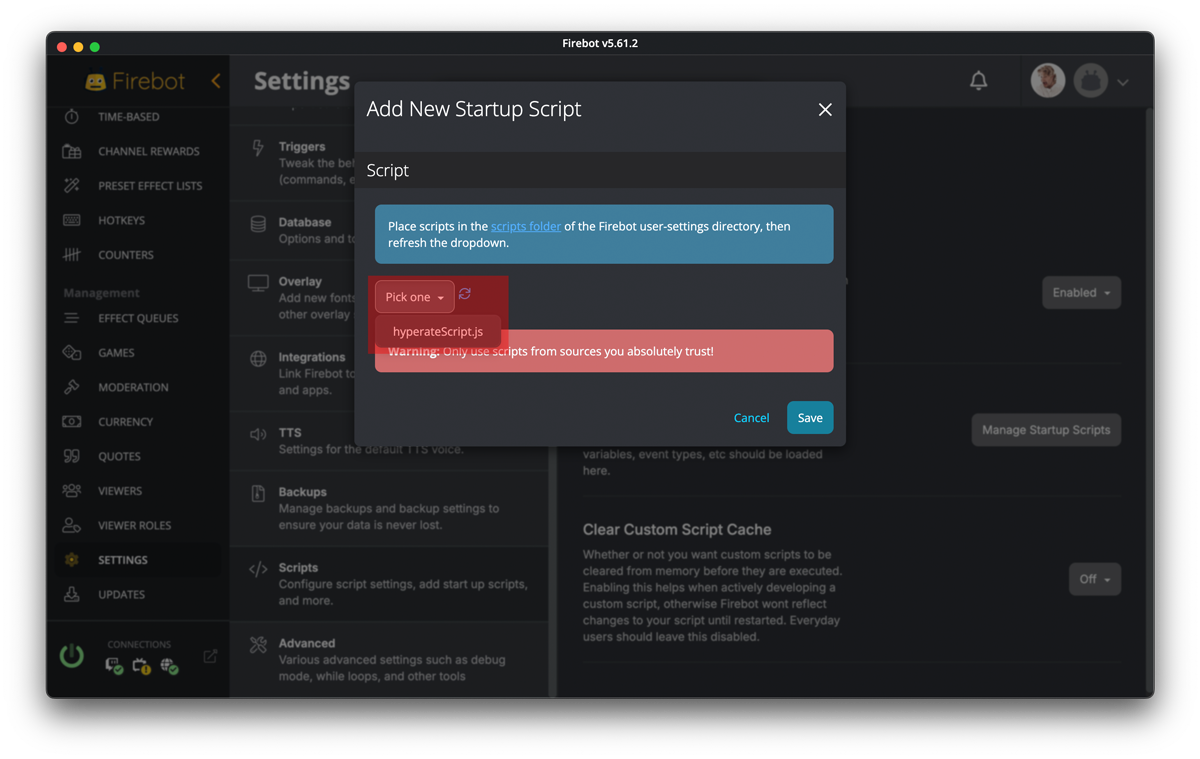
- Add New Startup Script and search for the hyperateScript.js you have downloaded and saved before. Press Save.
- Now go to Settings > Integrations > HypeRate
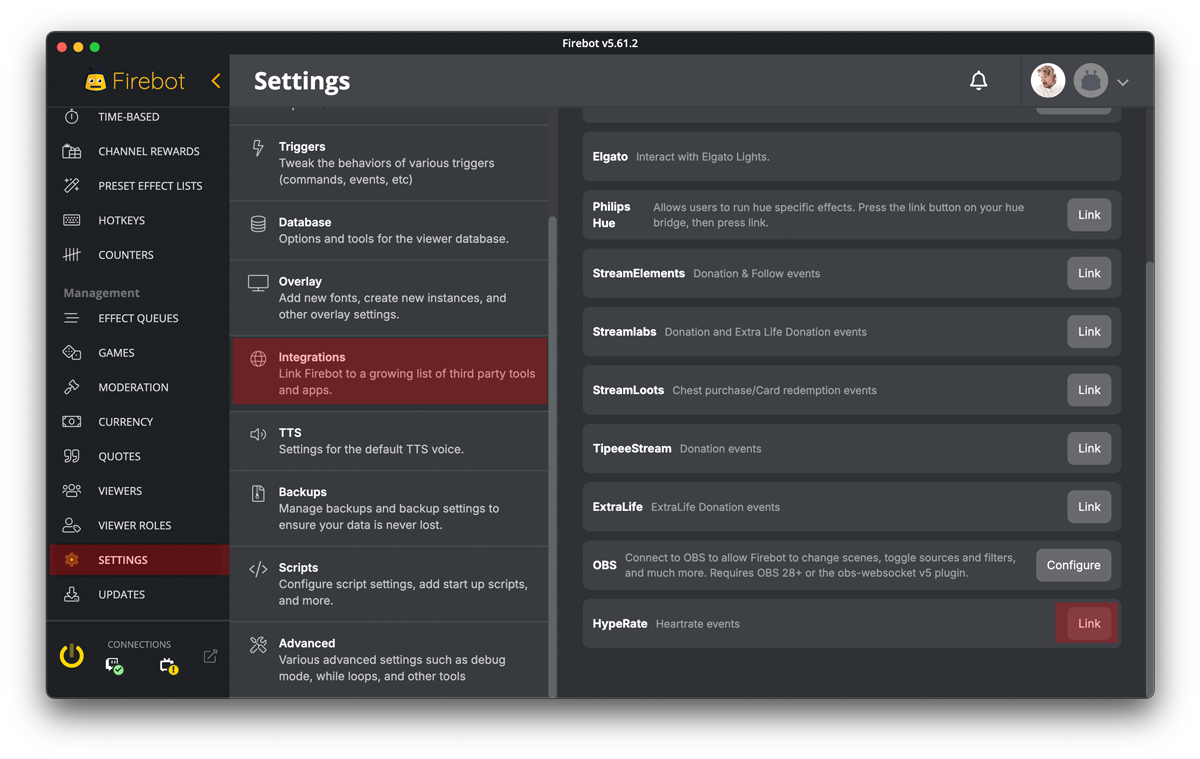
- Enter your HypeRate ID and hit save.
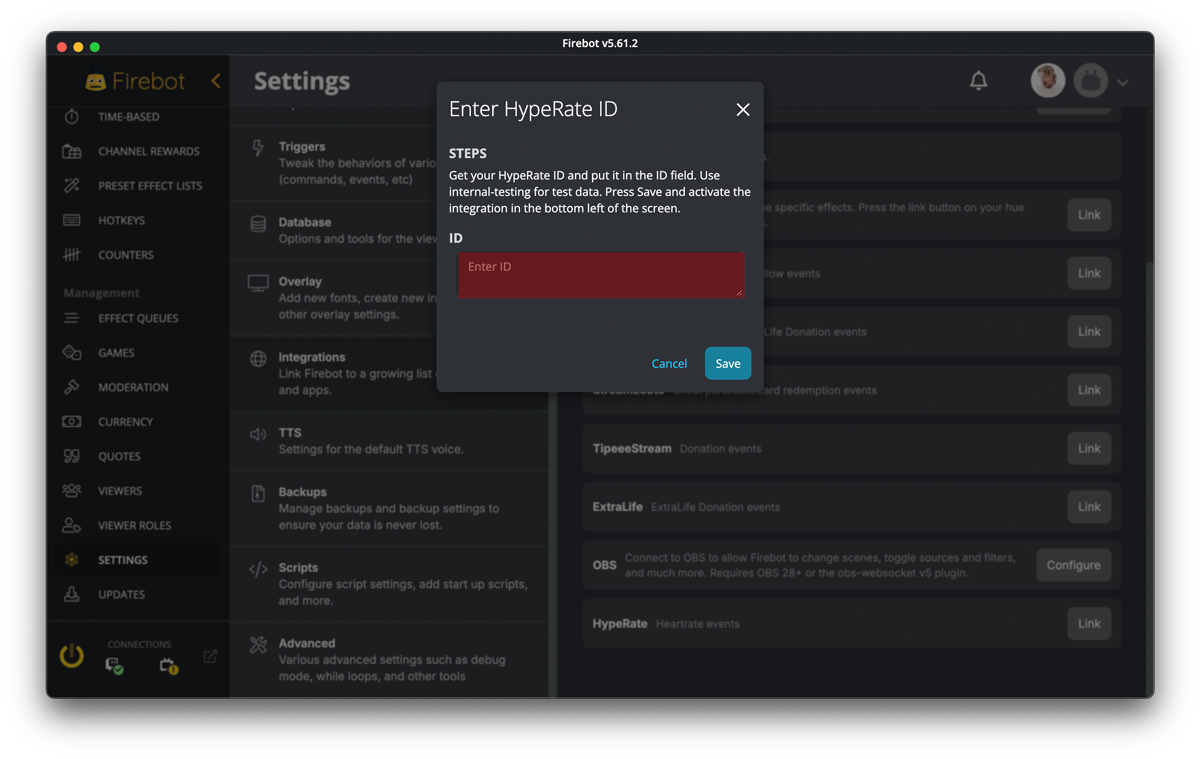
- Connect your heart rate monitor: Ensure your compatible heart rate monitor is synced up.
- If you want to see heart rate events come in real-time for debugging purposes, go to dashboard, click on the meatball menu for Activity Feed and Edit Events.
- Find the Heartrate (HypeRate) event and enable it.
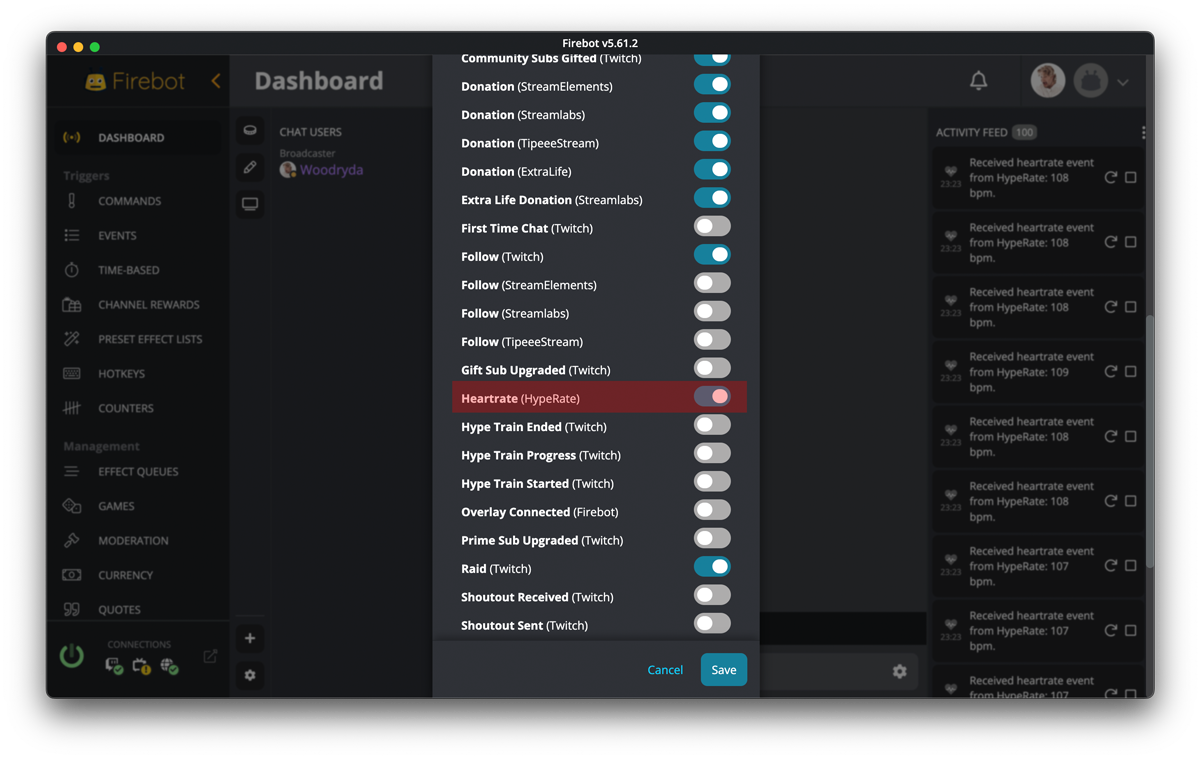
- Configure Your Hype Triggers: Go into the extension settings and create unique events that activate based on your heart rate.
Special Thanks to our Community Member Dennis who made this awesome little Script for you!
You can support him on his Ko-Fi webpage.
So, let's get creative!
Enable HypeRate autostart (optional):
- Go to Events and press "New Event"
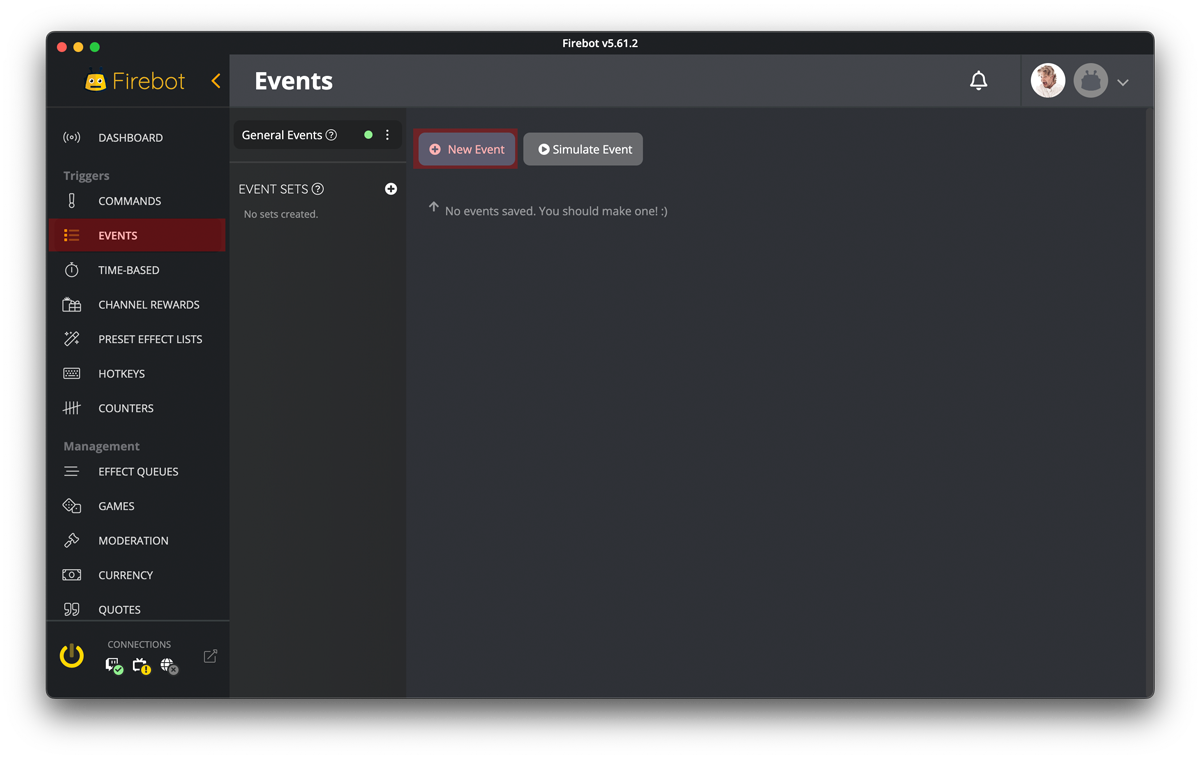
- search for "firebot started" select it and hit save
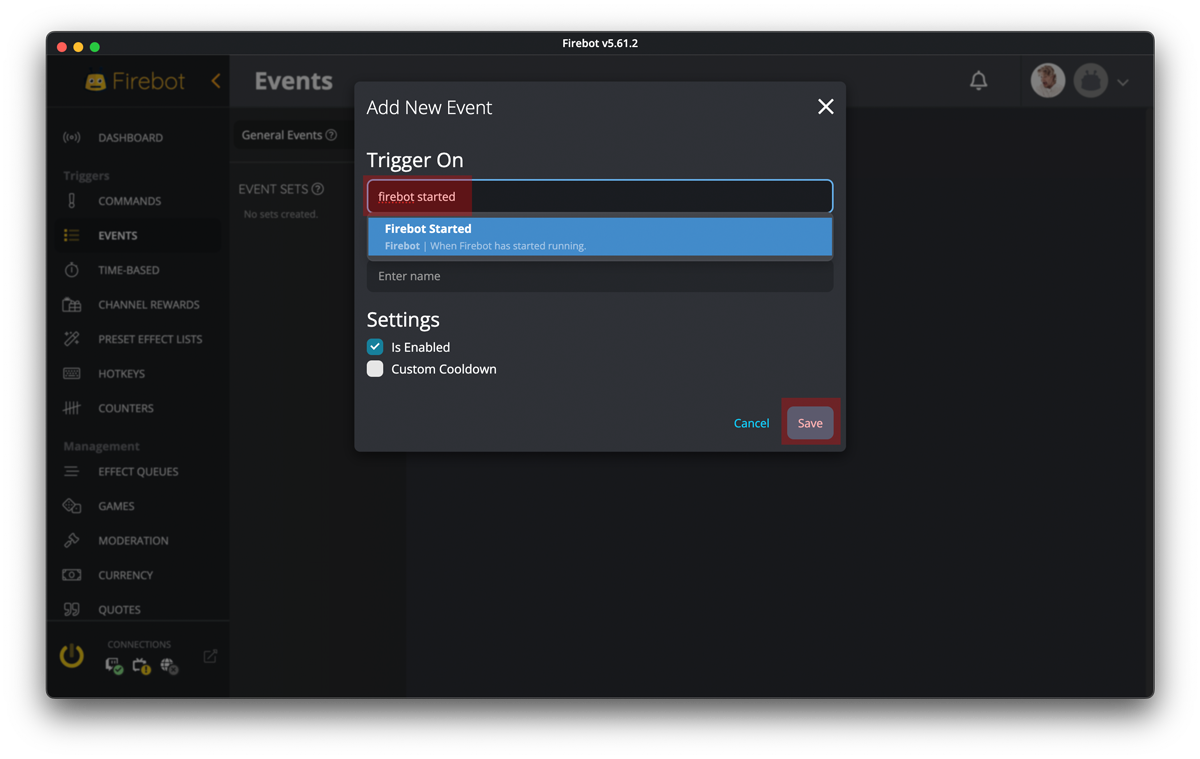
- Press -> Add New Effect
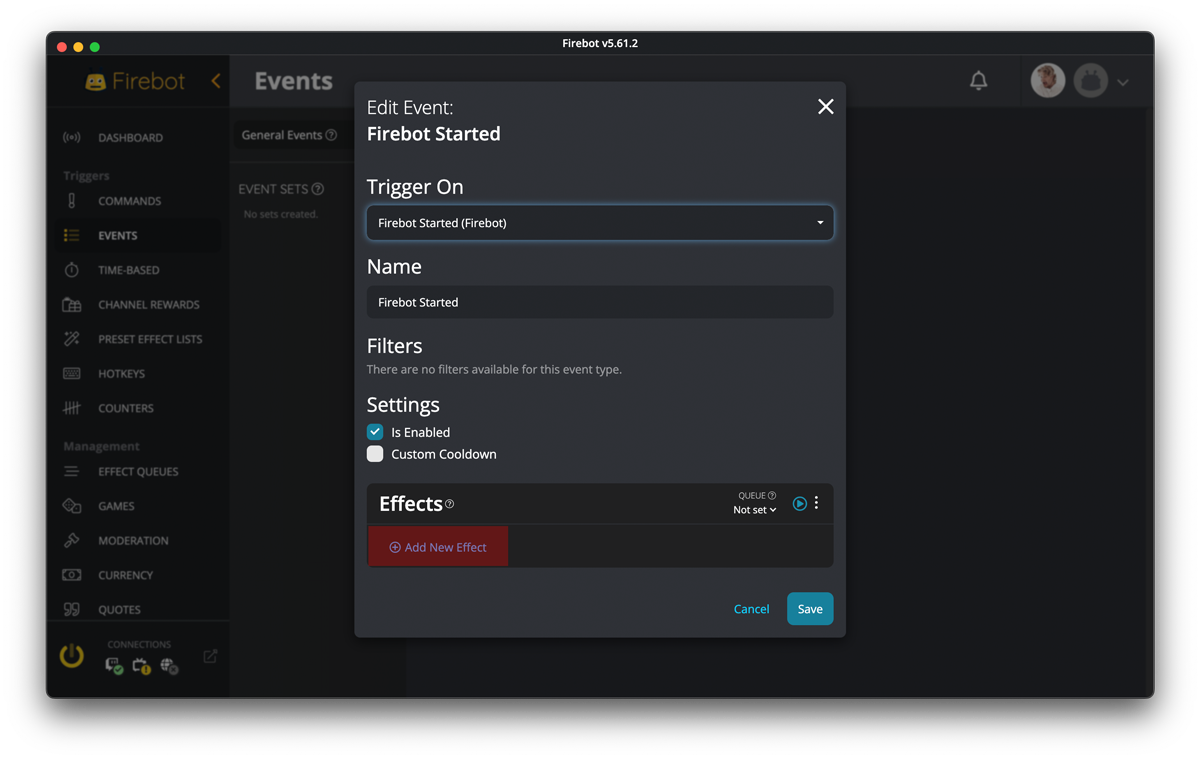
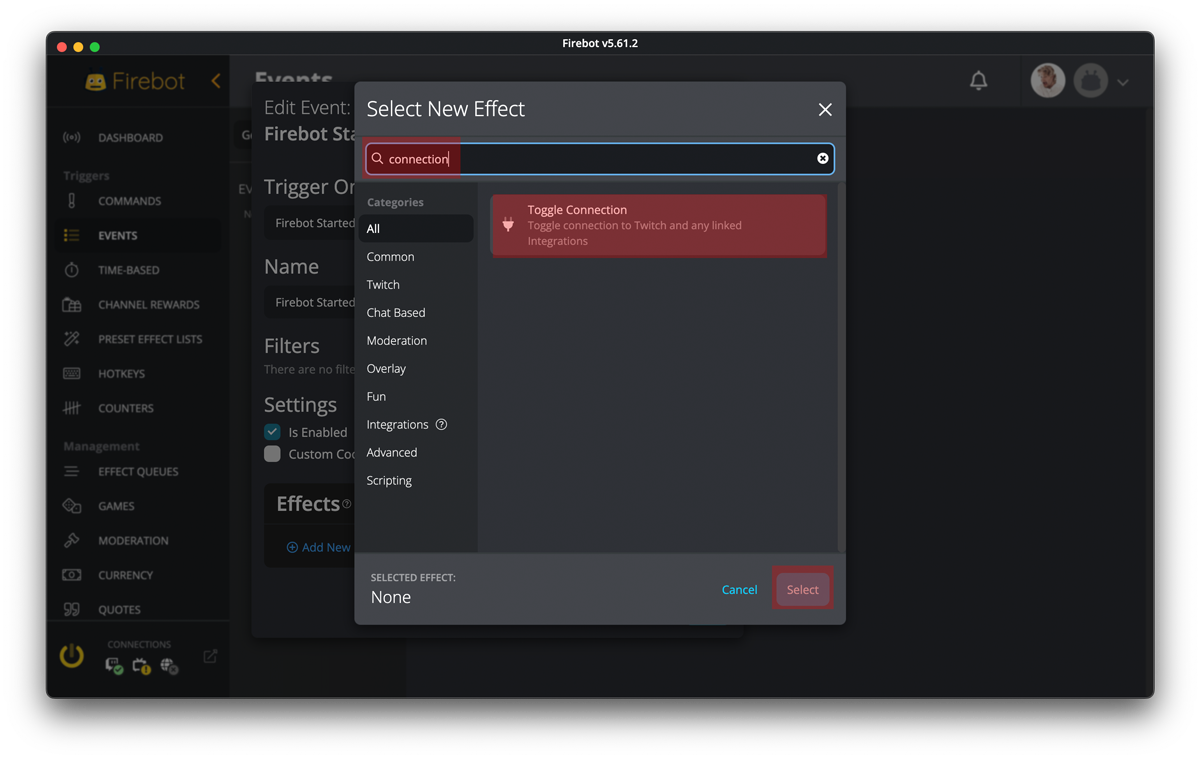
- Search for "connection", choose "Toggle Connection" and hit Select.
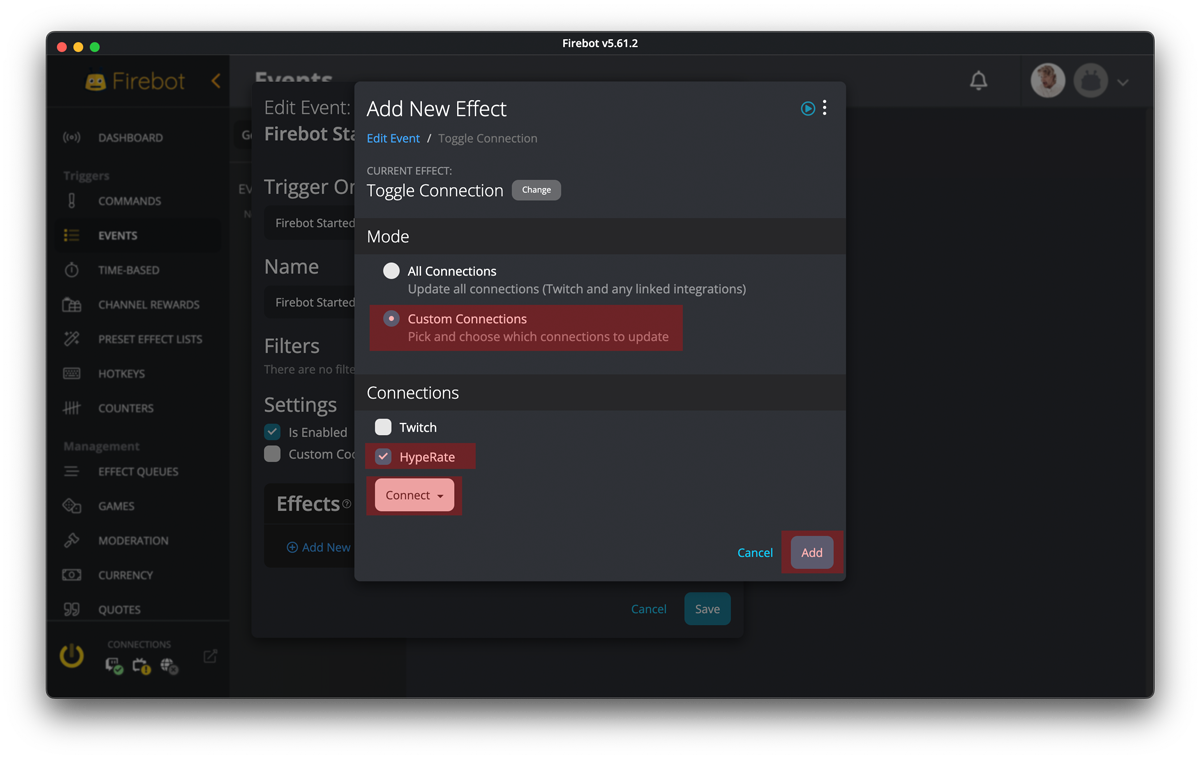
- Click on "Custom Connections" and choose "HypeRate" - select "connect" and click add.
- Hit "Save" and you are done.
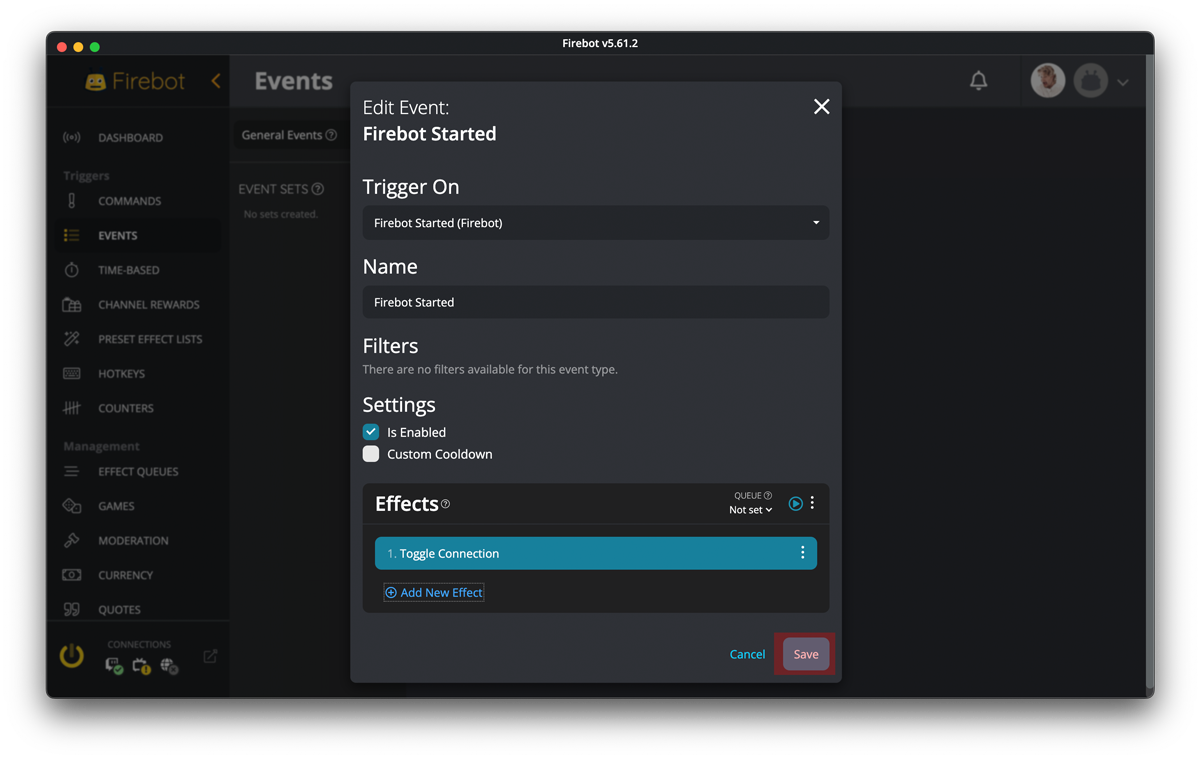
Everytime when you start Firebot, HypeRate should start automatically ;)
Have Fun!