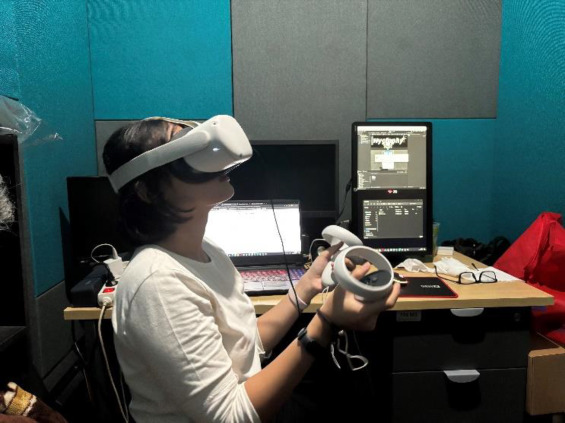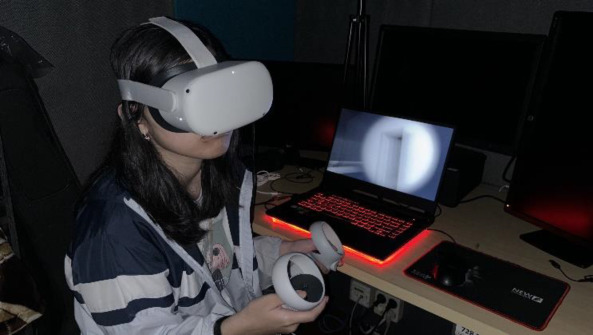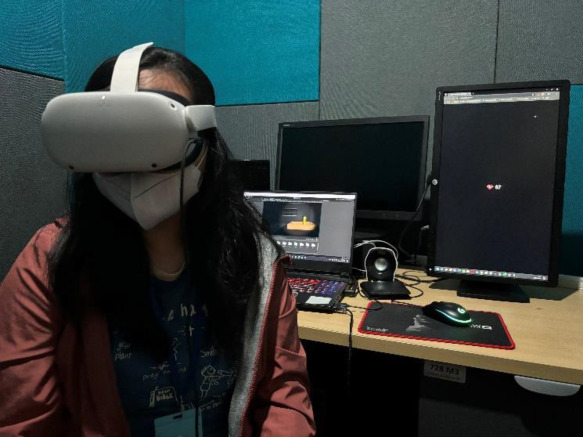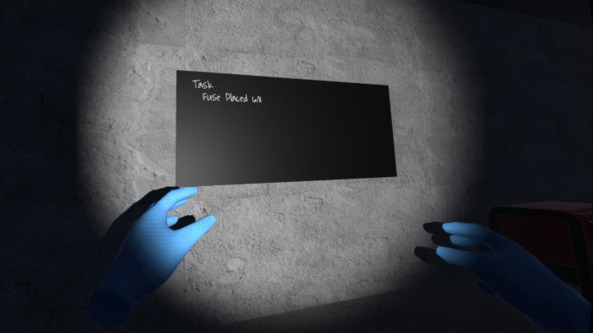
<?xml version="1.0" encoding="utf-8"?>
<feed xmlns="http://www.w3.org/2005/Atom" xmlns:media="http://search.yahoo.com/mrss/">
    <title>HypeRate</title>
    <link href="https://blog.hyperate.io/feed.xml" rel="self" />
    <link href="https://blog.hyperate.io" />
    <updated>2026-05-20T15:18:50+02:00</updated>
    <author>
        <name>Alex Holzreiter</name>
    </author>
    <id>https://blog.hyperate.io</id>

    <entry>
        <title>How to Stream Your Real Heart Rate Into VRChat — HypeRate OSC HR Bridge Complete Guide</title>
        <author>
            <name>Alex Holzreiter</name>
        </author>
        <link href="https://blog.hyperate.io/post/how-to-stream-your-real-heart-rate-into-vrchat-hyperate-osc-hr-bridge-complete-guide/"/>
        <id>https://blog.hyperate.io/post/how-to-stream-your-real-heart-rate-into-vrchat-hyperate-osc-hr-bridge-complete-guide/</id>
        <media:content url="https://blog.hyperate.io/media/posts/54/HypeRate_Web_OSC_for_vrchat.jpg" medium="image" />
            <category term="News"/>
            <category term="How to"/>
            <category term="Feature"/>

        <updated>2026-05-05T18:58:27+02:00</updated>
            <summary type="html">
                <![CDATA[
                        <img src="https://blog.hyperate.io/media/posts/54/HypeRate_Web_OSC_for_vrchat.jpg" alt="" />
                    Your actual heartbeat. Inside your avatar. In real time. 💓 If you've ever wanted your VRChat avatar to react to&hellip;
                ]]>
            </summary>
        <content type="html">
            <![CDATA[
                    <p><img src="https://blog.hyperate.io/media/posts/54/HypeRate_Web_OSC_for_vrchat.jpg" class="type:primaryImage" alt="" /></p>
                <p>Your actual heartbeat. Inside your avatar. In real time. 💓</p>
<p>If you've ever wanted your VRChat avatar to react to your real pulse — showing your live BPM to other players, triggering animations when your heart races on a horror map, or simply proving to the lobby that yes, you are in fact alive — the <strong>HypeRate OSC HR Bridge</strong> is exactly what you've been looking for.</p>
<p>This guide covers everything: what it is, how it works, how to install it on Windows, macOS, and Linux, how to configure VRChat, and how to get the most out of your setup.</p>
<p style="text-align: center; letter-spacing: 0.8em; opacity: 0.4;">* * *</p>
<h2>What Is the HypeRate OSC HR Bridge? 🤔</h2>
<p>The HypeRate OSC HR Bridge is a <strong>free, browser-based tool</strong> that connects your heart rate monitor to VRChat — and other VR platforms — through the Open Sound Control protocol (OSC). OSC is the same system VRChat already uses for avatar parameters. The bridge simply feeds your live BPM data into it.</p>
<p>The result: your avatar's parameters update in real time with your actual heart rate. Streamers use this to display a live BPM overlay on their avatar. Dancers and fitness enthusiasts use it to visualize effort. Horror game players use it to freak out their friends when the numbers spike. 😈</p>
<p><strong>Key facts at a glance:</strong></p>
<ul>
<li>✅ Completely free to use</li>
<li>✅ Runs in your browser — no web software to install</li>
<li>✅ Works with VRChat, Resonite, ChilloutVR, and any OSC-capable app</li>
<li>✅ End-to-end latency under 200 ms</li>
<li>✅ Supports any heart rate device compatible with HypeRate (Apple Watch, Garmin, Polar, Wahoo, Fitbit, and hundreds more)</li>
<li>✅ No account required</li>
</ul>
<p>👉 <strong>Try it now: <a href="https://osc.hyperate.io" target="_blank"  class="extlink extlink-icon-1"  rel="noopener">osc.hyperate.io</a></strong></p>
<p style="text-align: center; letter-spacing: 0.8em; opacity: 0.4;">* * *</p>
<h2>How It Works ⚙️</h2>
<p>The flow is straightforward:</p>
<ol>
<li>Your heart rate monitor sends BPM data to the HypeRate app on your smartphone</li>
<li>HypeRate relays that data over its WebSocket API to the browser-based control panel</li>
<li>The control panel forwards the data to a small local Python bridge script running on your PC</li>
<li>The script sends two OSC UDP packets to VRChat: your current BPM as an integer, and a boolean heartbeat pulse on every beat</li>
<li>Your avatar reacts 🎉</li>
</ol>
<p>The only thing you need to install locally is the small Python bridge script — and even that sets itself up automatically on first launch.</p>
<p style="text-align: center; letter-spacing: 0.8em; opacity: 0.4;">* * *</p>
<h2>What You Need Before You Start 📋</h2>
<h3>1. The HypeRate App</h3>
<p>HypeRate is the streaming service that acts as the relay between your wearable and the bridge. Download the HypeRate app for <a href="https://hyperate.io/downloads" target="_blank"  class="extlink extlink-icon-1"  rel="noopener">iOS or Android</a> and connect your heart rate device — <strong>no account required</strong>. Inside the app you will find your personal <strong>Session ID</strong>, a short identifier you will enter into the bridge control panel. Keep it handy.</p>
<h3>2. A Compatible Heart Rate Device 💪</h3>
<p>You need a heart rate monitor that pairs with the HypeRate app. HypeRate supports a huge range of devices:</p>
<ul>
<li><strong>Chest straps</strong> (most accurate, lowest latency): Polar H10, Wahoo TICKR, Garmin HRM-Pro — <a href="https://hyperate.io/supported-devices.html" target="_blank"  class="extlink extlink-icon-1"  rel="noopener">see all compatible chest straps →</a></li>
<li><strong>Smartwatches and fitness bands</strong>: Apple Watch, Garmin Forerunner, Fitbit, Samsung Galaxy Watch — <a href="https://hyperate.io/supported-devices.html" target="_blank"  class="extlink extlink-icon-1"  rel="noopener">see all compatible wearables →</a></li>
<li>Any Bluetooth Low Energy (BLE) heart rate monitor following the standard HR profile</li>
</ul>
<p>💡 <strong>Tip for streamers and accuracy-focused users:</strong> Chest straps have noticeably lower latency and more stable readings than wrist-based optical sensors — especially during exercise or intense VR gameplay. The Polar H10 and Wahoo TICKR are the community favorites. Browse the <a href="https://hyperate.io/supported-devices.html" target="_blank"  class="extlink extlink-icon-1"  rel="noopener">full HypeRate supported device list</a> to find the right one for your budget and use case.</p>
<h3>3. Python 3.8 or Newer 🐍</h3>
<p>The local bridge script requires Python. Download it for free at <a href="https://python.org" target="_blank"  class="extlink extlink-icon-1"  rel="noopener">python.org</a> if you don't have it installed. Python 3.8 through 3.12 are all tested and supported. You don't need to install any libraries manually — the script handles that automatically on first run.</p>
<h3>4. VRChat with OSC Enabled 🎮</h3>
<p>You need to enable OSC in VRChat once before connecting. The steps are covered later in this guide.</p>
<p style="text-align: center; letter-spacing: 0.8em; opacity: 0.4;">* * *</p>
<h2>Step-by-Step Installation Guide 🚀</h2>
<h3>Step 1 — Open the Control Panel</h3>
<p>Navigate to <a href="https://osc.hyperate.io" target="_blank"  class="extlink extlink-icon-1"  rel="noopener"><strong>osc.hyperate.io</strong></a> in any modern browser (Chrome, Edge, Firefox, or Safari). You will see the main dashboard with the heart rate display, connection panel, and OSC configuration. No login, no account needed.</p>
<h3>Step 2 — Download the Python Bridge Script</h3>
<p>In the browser panel, find the <strong>Setup Guide</strong> section and click the download button for your operating system:</p>
<ul>
<li>🪟 <strong>Windows</strong> → downloads <code>HypeRate_OSC_Bridge_Windows.zip</code></li>
<li>🍎 <strong>macOS</strong> → downloads <code>HypeRate_OSC_Bridge_macOS.zip</code></li>
<li>🐧 <strong>Linux</strong> → downloads <code>HypeRate_OSC_Bridge_Linux.zip</code></li>
</ul>
<p>Extract the ZIP to any folder you like. Inside you will find:</p>
<ul>
<li><code>osc_bridge.py</code> — the main bridge script</li>
<li><code>start_bridge.bat</code> (Windows) / <code>start_bridge.command</code> (macOS) / <code>start_bridge.sh</code> (Linux) — one-click launcher</li>
<li><code>run_bridge.vbs</code> (Windows only) — silent background launcher with no terminal window</li>
<li><code>README.txt</code> — platform-specific quick-start notes</li>
</ul>
<h3>Step 3 — Run the Bridge for the First Time</h3>
<p><strong>🪟 Windows</strong></p>
<p>Double-click <code>start_bridge.bat</code> — or <code>run_bridge.vbs</code> for a cleaner background launch with no terminal window.</p>
<p><strong>First launch only:</strong> A terminal window opens and automatically creates a Python virtual environment and installs the required libraries (<code>python-osc</code>, <code>websockets</code>, <code>pystray</code>, <code>pillow</code>). This takes around 30 seconds. Every subsequent launch is instant.</p>
<p>Once setup is complete, a small <strong>system tray icon</strong> appears in the bottom-right corner of your taskbar. The bridge is running. ✅</p>
<p><strong>🍎 macOS</strong></p>
<p>Double-click <code>start_bridge.command</code>.</p>
<p>If macOS shows a security warning ("cannot be opened because it is from an unidentified developer"): right-click the file → <strong>Open</strong> → confirm. You only need to do this once.</p>
<p><strong>First launch only:</strong> A terminal window briefly flashes while the virtual environment is being set up (including <code>pyobjc-framework-Cocoa</code>). The window closes automatically when done — this is completely normal behavior. A <strong>menu bar icon</strong> appears in the top-right of your screen. ✅</p>
<p><strong>🐧 Linux</strong></p>
<p>Open a terminal, navigate to the extracted folder, and run:</p>
<p><code>chmod +x start_bridge.sh &amp;&amp; ./start_bridge.sh</code></p>
<p><strong>First launch only:</strong> The script automatically creates a virtual environment and installs dependencies. After setup completes, the bridge runs in the background with a tray icon (requires a system tray such as GNOME with AppIndicator, KDE Plasma, or XFCE). ✅</p>
<h3>Step 4 — Optional: Enable Autostart</h3>
<p>If you want the bridge to start automatically when you log into your computer, right-click the tray or menu bar icon and select <strong>"Enable Autostart"</strong>.</p>
<ul>
<li>🪟 Windows: Creates a startup entry in <code>AppData\Microsoft\Windows\Start Menu\Programs\Startup</code></li>
<li>🍎 macOS: Registers a LaunchAgent at <code>~/Library/LaunchAgents/io.oschrbridge.plist</code></li>
<li>🐧 Linux: Creates an XDG autostart entry at <code>~/.config/autostart/oschrbridge.desktop</code></li>
</ul>
<p>To remove autostart later, right-click the tray icon and select <strong>"Disable Autostart"</strong>.</p>
<h3>Step 5 — Enable OSC in VRChat 🎮</h3>
<ol>
<li>Launch VRChat and load into any world</li>
<li>Open the <strong>radial action menu</strong> (hold right trigger / <code>R</code> on keyboard)</li>
<li>Navigate to <strong>Options → OSC</strong></li>
<li>Toggle OSC <strong>On</strong></li>
</ol>
<p>VRChat will now listen for incoming OSC messages on UDP port 9000 (the default). You only need to do this once — VRChat remembers the setting.</p>
<p>⚠️ <strong>Important:</strong> If you have previously used other OSC tools, make sure no other application is occupying port 9000.</p>
<h3>Step 6 — Connect Everything in the Browser Panel 🔗</h3>
<p>With the Python bridge running and VRChat open, go back to the browser panel at <a href="https://osc.hyperate.io" target="_blank"  class="extlink extlink-icon-1"  rel="noopener">osc.hyperate.io</a>.</p>
<p><strong>Connect to the OSC Bridge:</strong></p>
<ol>
<li>In the <strong>OSC Configuration</strong> section, verify the Bridge Port shows <code>8765</code> (default)</li>
<li>Click <strong>"Connect to Bridge"</strong> — the status indicator turns green with "Connected" ✅</li>
</ol>
<p><strong>Connect to HypeRate:</strong></p>
<ol>
<li>Open the HypeRate app on your phone and start a session</li>
<li>Copy your <strong>Session ID</strong> from the app</li>
<li>In the <strong>HypeRate Connection</strong> section of the browser panel, enter your Session ID</li>
<li>Click <strong>"Connect to HypeRate"</strong></li>
<li>The status indicator turns green and your live BPM appears on screen ❤️</li>
</ol>
<p>You should now see your real heart rate displayed on the dashboard, with the EKG chart updating in real time.</p>
<p style="text-align: center; letter-spacing: 0.8em; opacity: 0.4;">* * *</p>
<h2>Understanding Your Avatar Parameters 🧬</h2>
<p>The bridge writes two OSC parameters to your VRChat avatar by default:</p>
<ul>
<li><code>/avatar/parameters/HR</code> — integer with your current BPM (e.g. 86)</li>
<li><code>/avatar/parameters/isHRBeat</code> — boolean that is <code>true</code> for 800 ms on each heartbeat, then <code>false</code></li>
</ul>
<p>To use these in VRChat, your avatar's <strong>FX Animator</strong> needs to reference these exact parameter names. You can create:</p>
<ul>
<li>A <strong>display element</strong> that reads the <code>HR</code> integer and shows a number</li>
<li>A <strong>pulse animation</strong> triggered by <code>isHRBeat</code> going true/false</li>
<li><strong>Blend trees or state machine transitions</strong> based on heart rate zones</li>
</ul>
<p>If you're using a community avatar that already has heart rate support built in, just make sure the parameter names match — or update the paths in the configuration panel to match what your avatar expects.</p>
<p style="text-align: center; letter-spacing: 0.8em; opacity: 0.4;">* * *</p>
<h2>Advanced Configuration 🔧</h2>
<p>All OSC settings can be adjusted in the <strong>OSC Configuration Panel</strong>:</p>
<ul>
<li><strong>OSC Target IP</strong> (default: <code>127.0.0.1</code>) — IP of the machine running VRChat. For cross-device setups, enter the local network IP of the VRChat PC.</li>
<li><strong>OSC Port</strong> (default: <code>9000</code>) — VRChat default; must match VRChat's OSC input port.</li>
<li><strong>Heart Rate Parameter</strong> (default: <code>/avatar/parameters/HR</code>) — OSC address for the BPM integer value.</li>
<li><strong>Beat Parameter</strong> (default: <code>/avatar/parameters/isHRBeat</code>) — OSC address for the boolean pulse per beat.</li>
<li><strong>Bridge Port</strong> (default: <code>8765</code>) — WebSocket port the Python script listens on.</li>
</ul>
<p>Changes apply immediately without restarting the bridge.</p>
<p>The tool also works with <strong>Resonite</strong>, <strong>ChilloutVR</strong>, and any other application that accepts standard OSC UDP packets — simply adjust the IP, port, and parameter paths to match what those platforms expect.</p>
<p style="text-align: center; letter-spacing: 0.8em; opacity: 0.4;">* * *</p>
<h2>Heart Rate Zones 📊</h2>
<p>The dashboard automatically detects and displays your current heart rate zone with a color-coded badge:</p>
<ul>
<li>🔵 <strong>Resting</strong> — under 60 BPM</li>
<li>🟢 <strong>Normal</strong> — 60–99 BPM</li>
<li>🟠 <strong>Elevated</strong> — 100–139 BPM</li>
<li>🔴 <strong>High</strong> — 140+ BPM</li>
</ul>
<p>Useful for monitoring workout intensity — and some avatar creators build zone-responsive animations that change color or behavior based on these thresholds.</p>
<p style="text-align: center; letter-spacing: 0.8em; opacity: 0.4;">* * *</p>
<h2>Choosing the Right Heart Rate Device ⌚</h2>
<p>The experience is only as good as the data coming in. Here are the three main categories:</p>
<h3>🏆 Chest Straps (Recommended for Lowest Latency)</h3>
<p>Chest straps measure electrical cardiac signals rather than light-based pulse detection, making them faster and more accurate — especially during exercise or intense VR gameplay.</p>
<p>Top picks fully supported by HypeRate:</p>
<ul>
<li><strong>Polar H10</strong> — the gold standard for accuracy, with internal memory and Bluetooth 5.0</li>
<li><strong>Wahoo TICKR</strong> — great value, reliable connection, loved by the streaming community</li>
<li><strong>Garmin HRM-Pro</strong> — dual ANT+/Bluetooth, excellent during high-movement sessions</li>
</ul>
<p>👉 <a href="https://hyperate.io/supported-devices.html" target="_blank"  class="extlink extlink-icon-1"  rel="noopener">View all compatible chest straps on HypeRate →</a></p>
<h3>⌚ Smartwatches</h3>
<p>If you already own a compatible smartwatch, it may work out of the box:</p>
<ul>
<li><strong>Apple Watch</strong> — excellent HR tracking, simple HypeRate integration</li>
<li><strong>Garmin Forerunner / Vivoactive / Venu series</strong> — reliable, long battery life</li>
<li><strong>Samsung Galaxy Watch</strong> — works well in most conditions</li>
<li><strong>Fitbit (select models)</strong> — supported with HypeRate companion setup</li>
</ul>
<p>👉 <a href="https://hyperate.io/supported-devices.html" target="_blank"  class="extlink extlink-icon-1"  rel="noopener">Full list of compatible smartwatches and fitness bands →</a></p>
<h3>💰 Fitness Bands</h3>
<p>A budget-friendly option if you just want to get started. Many BLE-standard fitness bands work if they broadcast a standard GATT heart rate profile. Check the <a href="https://hyperate.io/supported-devices.html" target="_blank"  class="extlink extlink-icon-1"  rel="noopener">HypeRate supported device list</a> for confirmed compatibility before purchasing.</p>
<p style="text-align: center; letter-spacing: 0.8em; opacity: 0.4;">* * *</p>
<h2>Troubleshooting 🛠️</h2>
<h3>The bridge status shows "Error" or won't connect</h3>
<ul>
<li>Make sure the Python bridge is actually running — look for the tray icon</li>
<li>Confirm nothing else is using port 8765 on your PC</li>
<li>Click "Connect to Bridge" again — it retries automatically up to 10 times with exponential backoff</li>
<li>On macOS: verify Python has permission to accept network connections (System Settings → Privacy &amp; Security → Local Network)</li>
</ul>
<h3>My BPM shows in the browser but doesn't reach VRChat</h3>
<ul>
<li>Confirm OSC is enabled in VRChat (Options → OSC in the radial menu)</li>
<li>Check that OSC Target IP is <code>127.0.0.1</code> if VRChat runs on the same machine</li>
<li>Make sure your firewall isn't blocking UDP port 9000</li>
<li>Reload your avatar in VRChat — OSC parameters sometimes need a fresh avatar load to initialize</li>
</ul>
<h3>Python says "command not found" or the script won't run</h3>
<ul>
<li>Download and install Python 3.8+ from <a href="https://python.org" target="_blank"  class="extlink extlink-icon-1"  rel="noopener">python.org</a></li>
<li>On Windows, during installation check the box <strong>"Add Python to PATH"</strong></li>
<li>On macOS, run <code>python3 --version</code> in Terminal to confirm your installation</li>
</ul>
<h3>The HypeRate connection drops frequently</h3>
<ul>
<li>Check your phone's battery saver mode — Android in particular can kill background apps aggressively</li>
<li>Keep the HypeRate app in the foreground during longer sessions</li>
<li>The bridge automatically attempts to reconnect up to 8 times with increasing delays — most brief drops recover on their own</li>
</ul>
<p style="text-align: center; letter-spacing: 0.8em; opacity: 0.4;">* * *</p>
<h2>Frequently Asked Questions ❓</h2>
<p><strong>Is the HypeRate OSC HR Bridge free?</strong><br>Yes, completely. You only need the HypeRate app to get a Session ID — which is also free and requires no account.</p>
<p><strong>Does it work without VRChat?</strong><br>Yes. Any application that accepts standard OSC UDP packets can receive the data. This includes Resonite, ChilloutVR, and custom software you write yourself.</p>
<p><strong>Does the bridge store or transmit my heart rate data anywhere?</strong><br>No. Your BPM data flows from HypeRate directly to your local Python bridge script and then to your local VRChat process. Nothing is stored on any server. The browser control panel saves only your Session ID and OSC settings in your own browser's localStorage.</p>
<p><strong>What Python version do I need?</strong><br>Python 3.8 or newer. Tested with 3.8, 3.10, and 3.12.</p>
<p><strong>Can I change the avatar parameter paths?</strong><br>Yes. The OSC Configuration panel lets you set any valid OSC address for both the HR integer and the beat boolean. This is useful when your avatar uses custom parameter names.</p>
<p><strong>Will it work while I stream on Twitch or YouTube?</strong><br>Absolutely. Many streamers use it specifically to add a live BPM overlay to their VRChat avatar for their audience to see. Pair it with a chest strap for the most accurate and responsive readings during gameplay. 🎥</p>
<p style="text-align: center; letter-spacing: 0.8em; opacity: 0.4;">* * *</p>
<h2>Get Started Today 🎉</h2>
<p>The HypeRate OSC HR Bridge takes about five minutes to set up from scratch. Once it's running, it runs silently in the background and your avatar stays connected to your pulse for the entire session.</p>
<p><strong>What you need:</strong></p>
<ol>
<li>The <a href="https://hyperate.io/downloads" target="_blank"  class="extlink extlink-icon-1"  rel="noopener">HypeRate app</a> (free, no account required)</li>
<li>A <a href="https://hyperate.io/supported-devices.html" target="_blank"  class="extlink extlink-icon-1"  rel="noopener">compatible heart rate monitor</a></li>
<li>Python 3.8+ from <a href="https://python.org" target="_blank"  class="extlink extlink-icon-1"  rel="noopener">python.org</a></li>
<li>One browser tab open at <a href="https://osc.hyperate.io" target="_blank"  class="extlink extlink-icon-1"  rel="noopener">osc.hyperate.io</a></li>
</ol>
<p>Whether you're a VRChat streamer wanting to entertain your audience with live biometrics, a fitness-focused VR user tracking workout intensity, or just someone who thinks it's genuinely cool to have a real heartbeat synced to their avatar — this bridge gives you everything you need. Free. In real time. ❤️</p>
<p><strong>👉 <a href="https://osc.hyperate.io" target="_blank"  class="extlink extlink-icon-1"  rel="noopener">Open the HypeRate OSC HR Bridge →</a></strong></p>
            ]]>
        </content>
    </entry>
    <entry>
        <title>The Best Free Heart Rate Overlay for Streamers &amp; Gamers — HypeRate Desktop</title>
        <author>
            <name>Alex Holzreiter</name>
        </author>
        <link href="https://blog.hyperate.io/post/the-best-free-heart-rate-overlay-for-streamers-and-gamers-hyperate-desktop/"/>
        <id>https://blog.hyperate.io/post/the-best-free-heart-rate-overlay-for-streamers-and-gamers-hyperate-desktop/</id>
        <media:content url="https://blog.hyperate.io/media/posts/53/HypeRate_for_your_Desktop.jpg" medium="image" />
            <category term="News"/>
            <category term="Feature"/>

        <updated>2026-04-27T01:33:58+02:00</updated>
            <summary type="html">
                <![CDATA[
                        <img src="https://blog.hyperate.io/media/posts/53/HypeRate_for_your_Desktop.jpg" alt="" />
                    What if your viewers could feel your clutch moments — not through your voice, not through your face, but through&hellip;
                ]]>
            </summary>
        <content type="html">
            <![CDATA[
                    <p><img src="https://blog.hyperate.io/media/posts/53/HypeRate_for_your_Desktop.jpg" class="type:primaryImage" alt="" /></p>
                <div>What if your viewers could feel your clutch moments — not through your voice, not through your face, but through raw biometric data updating live on screen? Not a static number in the corner. Something that spikes during a 1v4, drops when you finally get into the zone, and tells a story no camera can capture.</div>
<h2>That's exactly what HypeRate Desktop does.</h2>
<p> </p>
<div>HypeRate Desktop is a free, open-source desktop app that pulls your live heart rate from your smartwatch and displays it as a floating, always-on-top overlay on your screen. It works above every game, every app, every window — and it takes under a minute to set up.</div>
<div><hr></div>
<h2>What Is HypeRate Desktop?</h2>
<p> </p>
<div>At its core, HypeRate Desktop is a bridge between your wearable and your stream. It connects to<span style="text-decoration: underline;"> <a href="https://hyperate.io" target="_blank"  class="extlink extlink-icon-1"  rel="noopener noreferrer">HypeRate </a></span>— a platform that streams live BPM data from smartwatches, chest straps, and fitness trackers — and renders it as a native desktop overlay widget that floats above everything else on your screen.</div>
<div>The widget shows your current BPM with an animated beating heart. It's draggable, resizable, and customizable down to the font. It lives in your system tray, uses almost no resources, and gets out of your way the moment you don't need it.</div>
<p> </p>
<div><figure class="post__image"><img loading="lazy"  src="https://blog.hyperate.io/media/posts/53/01-overlay-widget.jpg" alt="" width="1424" height="598" sizes="(min-width: 37.5em) 1600px, 80vw" srcset="https://blog.hyperate.io/media/posts/53/responsive/01-overlay-widget-xs.jpg 384w ,https://blog.hyperate.io/media/posts/53/responsive/01-overlay-widget-sm.jpg 600w ,https://blog.hyperate.io/media/posts/53/responsive/01-overlay-widget-md.jpg 768w ,https://blog.hyperate.io/media/posts/53/responsive/01-overlay-widget-lg.jpg 1200w ,https://blog.hyperate.io/media/posts/53/responsive/01-overlay-widget-xl.jpg 1600w"></figure></div>
<p> </p>
<div>No browser source. No OBS plugin to maintain. Just a small, fast native window that stays exactly where you put it.</div>
<div> </div>
<div><hr></div>
<h2>The Overlay</h2>
<p> </p>
<div>The overlay widget is the whole point, and it's been designed to be as unobtrusive as possible while still being readable at a glance.</div>
<div> </div>
<div>You drag it onto screen, position it wherever you like — top-left corner, bottom-right, next to your minimap — and it stays there. Even across reboots. The position is saved automatically every time you move it.</div>
<div> </div>
<div>The widget updates in real time as your heart rate changes. If you've enabled Heart Rate Zones, it also changes color automatically depending on your effort level — green when you're calm, climbing through yellow, hitting red when things get intense. Your viewers can read your state without you saying a word.</div>
<div> </div>
<div><hr></div>
<h2>The Settings Panel</h2>
<p> </p>
<div>Everything is configured through a clean settings window that you open when you need it and minimize when you don't. The app keeps running in your system tray regardless.</div>
<div> </div>
<div><figure class="post__image"><img loading="lazy"  src="https://blog.hyperate.io/media/posts/53/02-settings-window-2.jpg" alt="" width="1424" height="720" sizes="(min-width: 37.5em) 1600px, 80vw" srcset="https://blog.hyperate.io/media/posts/53/responsive/02-settings-window-2-xs.jpg 384w ,https://blog.hyperate.io/media/posts/53/responsive/02-settings-window-2-sm.jpg 600w ,https://blog.hyperate.io/media/posts/53/responsive/02-settings-window-2-md.jpg 768w ,https://blog.hyperate.io/media/posts/53/responsive/02-settings-window-2-lg.jpg 1200w ,https://blog.hyperate.io/media/posts/53/responsive/02-settings-window-2-xl.jpg 1600w"></figure></div>
<p> </p>
<div>Connection is a single field: paste your HypeRate Session ID, click Connect, and the status indicator turns green. From there, the Heart, Font, Layout, and Zones tabs let you shape the overlay exactly the way you want it. Every change applies live — there's no "save and restart."</div>
<div> </div>
<div><hr></div>
<h2>Customization</h2>
<p> </p>
<div>HypeRate Desktop gives you more control over the overlay's appearance than most people will ever need.</div>
<div> </div>
<div><figure class="post__image"><img loading="lazy"  src="https://blog.hyperate.io/media/posts/53/03-customization-options.jpg" alt="" width="1424" height="672" sizes="(min-width: 37.5em) 1600px, 80vw" srcset="https://blog.hyperate.io/media/posts/53/responsive/03-customization-options-xs.jpg 384w ,https://blog.hyperate.io/media/posts/53/responsive/03-customization-options-sm.jpg 600w ,https://blog.hyperate.io/media/posts/53/responsive/03-customization-options-md.jpg 768w ,https://blog.hyperate.io/media/posts/53/responsive/03-customization-options-lg.jpg 1200w ,https://blog.hyperate.io/media/posts/53/responsive/03-customization-options-xl.jpg 1600w"></figure></div>
<p> </p>
<div><strong>Heart animations</strong> — choose from Pulse, Beat, Bounce, Shake, or Glow. The animation speed scales automatically to your actual BPM. Faster heart rate, faster animation. You can also turn it off entirely.</div>
<div> </div>
<div><strong>Heart Rate Zones </strong>— enable this and the overlay shifts color as you move between effort levels. You define the BPM thresholds for each zone and give them custom names — those names show up in Discord Rich Presence too. It's entirely yours to tune.</div>
<div> </div>
<div><strong>Background styles</strong> — Transparent (just the widget, no background), Dark Pill (rounded dark card), Glassmorphism (frosted glass blur), or Solid/Gradient. Each looks completely different depending on what's running behind it.</div>
<div> </div>
<div><strong>Font &amp; Layout</strong> — Space Mono for a techy look, DM Sans for something cleaner, or pick your own. Horizontal, vertical, and compact layouts let you fit the overlay into tight spots on screen.</div>
<div> </div>
<div><hr></div>
<h2>Heart Rate as a Streaming Element</h2>
<p> </p>
<div>Competitive streamers have been showing heart rate overlays for years — but most setups require OBS browser sources, external services, or paid subscriptions that lock you into a specific device. HypeRate Desktop is different in three ways.</div>
<div> </div>
<div>First, <strong>it's hardware-agnostic</strong>. Any device HypeRate supports works: Apple Watch, Wear OS, Garmin, Polar, Fitbit, Amazfit, and more. If the HypeRate app on your phone shows your BPM, HypeRate Desktop can put it on screen.</div>
<div> </div>
<div>Second, it's <strong>always on top natively</strong>. No OBS scene management needed. The overlay floats above your game at the OS level, which means it's there whether or not OBS is even open.</div>
<div> </div>
<div>Third, it's <strong>free and open source</strong>. No subscription, no device lock-in, no paywalled customization. The code is on GitHub.</div>
<div> </div>
<div><hr></div>
<h2>Bluetooth Direct — No Phone Required</h2>
<p> </p>
<div>Starting with version 1.0.3, HypeRate Desktop can connect directly to any BLE heart rate strap — without a phone, without the HypeRate app, and without an internet connection.</div>
<div> </div>
<div>Just open the Bluetooth tab in settings, scan for nearby devices, and tap to connect. The app handles the rest. Supported devices include Garmin, Polar, Wahoo, Coospo, and any chest strap that broadcasts a standard Bluetooth heart rate signal.</div>
<div> </div>
<div><strong>Auto-reconnect</strong> is built in. If you step out of range mid-session, the app waits and reconnects automatically the moment your strap comes back into range — no manual intervention required.</div>
<div> </div>
<div>This makes HypeRate Desktop genuinely useful beyond streaming: athletes who want a workout overlay without touching their phone, or anyone who prefers a direct connection over cloud routing.</div>
<div> </div>
<div><hr></div>
<h2>VRChat Integration via OSC</h2>
<p> </p>
<div>HypeRate Desktop supports OSC output, which lets you send your live BPM directly into VRChat as an avatar parameter — no browser source, no OBS plugin, no third-party tool.</div>
<div> </div>
<div>OSC (Open Sound Control) is the protocol VRChat uses to let external apps drive avatar states in real time. Once you enable OSC output in HypeRate Desktop and turn on OSC in VRChat (Options → OSC → Enable), your heart rate is automatically sent to the <code>/avatar/parameters/Heartrate</code> parameter.</div>
<div> </div>
<div>From there, your avatar can react to your actual physiology. Ears perk up when your heart rate climbs. A visual effect triggers when you hit a certain BPM threshold. Whatever your avatar creator built for it — HypeRate Desktop feeds it live data.</div>
<div> </div>
<div><hr></div>
<h2>Discord Rich Presence</h2>
<p> </p>
<div>Since version 1.0.4, HypeRate Desktop can broadcast your live heart rate directly to your Discord profile via Rich Presence.</div>
<div> </div>
<div><figure class="post__image"><img loading="lazy"  src="https://blog.hyperate.io/media/posts/53/HypeRate_Discord_Rich_Presence.png" alt="" width="596" height="270" sizes="(min-width: 37.5em) 1600px, 80vw" srcset="https://blog.hyperate.io/media/posts/53/responsive/HypeRate_Discord_Rich_Presence-xs.png 384w ,https://blog.hyperate.io/media/posts/53/responsive/HypeRate_Discord_Rich_Presence-sm.png 600w ,https://blog.hyperate.io/media/posts/53/responsive/HypeRate_Discord_Rich_Presence-md.png 768w ,https://blog.hyperate.io/media/posts/53/responsive/HypeRate_Discord_Rich_Presence-lg.png 1200w ,https://blog.hyperate.io/media/posts/53/responsive/HypeRate_Discord_Rich_Presence-xl.png 1600w"></figure></div>
<div> </div>
<div>While a session is active, Discord shows your current BPM and your active heart rate zone name — visible to anyone who looks at your profile, checks the server member list, or hovers over your name. No stream required. Just playing and your viewers already know you're in the red.</div>
<div> </div>
<div>The presence updates every 15 seconds (Discord's rate limit), reflects your custom zone labels and colors, and shows a small badge indicating whether you're connected via HypeRate Cloud or Bluetooth Direct. A button in your profile links directly to desktop.hyperate.io.</div>
<div> </div>
<div>To enable it: Settings → Discord → toggle on. Discord needs to be running first.</div>
<div> </div>
<div>&gt; <strong>Note:</strong> Discord doesn't show your own Rich Presence on your own profile — it's only visible to others. To verify it's working, check the member list in a server or ask a friend.</div>
<div> </div>
<div><hr></div>
<h2>Using It With OBS &amp; Streaming Software</h2>
<p> </p>
<div>Because HypeRate Desktop is a native window, it integrates with any streaming or recording software with zero configuration.</div>
<div> </div>
<div><strong>Display Capture</strong> in OBS captures your entire screen including the overlay. It's the simplest option and requires nothing extra on your part.</div>
<div> </div>
<div><strong>Window Capture</strong> lets you include the overlay alongside specific app captures. Useful for multi-scene setups where you only want the heart rate visible in certain scenes.</div>
<div> </div>
<div><strong>Game Capture</strong> works as long as your game runs in <strong>Borderless Windowed</strong> mode — exclusive fullscreen blocks all overlays at the OS level. Borderless windowed is a one-click setting in almost every modern game, and it's better for streaming anyway.</div>
<div> </div>
<div>Streamlabs, XSplit, and every other streaming tool work the same way. The overlay is just a window — it plays by the same rules as everything else on screen.</div>
<div> </div>
<div>&gt; <strong>Tip:</strong> Press `Ctrl+Shift+H` (or `Cmd+Shift+H` on Mac) to hide the overlay during loading screens and bring it back the moment gameplay starts — without touching OBS or leaving your game.</div>
<div> </div>
<div><hr></div>
<h2>Compatible Devices</h2>
<p> </p>
<div>HypeRate Desktop works with any <span style="text-decoration: underline;"><a href="https://hyperate.io/supported-devices.html" target="_blank"  class="extlink extlink-icon-1"  rel="noopener noreferrer">heart rate device that's compatible</a></span> with the HypeRate platform. That includes:</div>
<div> </div>
<div>- <span style="text-decoration: underline;"><a href="https://apps.apple.com/us/app/hyperate/id1537526153" target="_blank"  class="extlink extlink-icon-1"  rel="noopener noreferrer">Apple Watch</a></span></div>
<div>- <span style="text-decoration: underline;"><a href="https://play.google.com/store/apps/details?id=com.brainbuxx.hyperatewatch&amp;hl=en_US&amp;gl=US" target="_blank"  class="extlink extlink-icon-1"  rel="noopener noreferrer">Wear OS devices (Samsung, Google Pixel Watch, etc.)</a></span></div>
<div>- <span style="text-decoration: underline;"><a href="https://apps.garmin.com/de-DE/apps/31741843-431a-4aee-8f2f-b04775de7551" target="_blank"  class="extlink extlink-icon-1"  rel="noopener noreferrer">Garmin</a></span></div>
<div>- Polar</div>
<div>- <span style="text-decoration: underline;"><a href="https://gallery.fitbit.com/details/a71cbcca-2ea6-4d7f-bf23-911b73511fe5" target="_blank"  class="extlink extlink-icon-1"  rel="noopener noreferrer">Fitbit</a></span></div>
<div>- <span style="text-decoration: underline;"><a href="https://blog.hyperate.io/post/amazfit-heart-rate-push-live-bluetooth-heart-rate-streaming-with-zepp-os-hyperate-compatible/" target="_blank" rel="noopener noreferrer">Amazfit</a></span></div>
<div>- Any BLE heart rate strap (Wahoo, Coospo, Polar H10, etc.) — connected directly via Bluetooth, no phone needed</div>
<div> </div>
<div>If the HypeRate app on your phone shows a BPM, HypeRate Desktop can display it. And if you own a standard BLE chest strap, you don't need the HypeRate app at all.</div>
<div> </div>
<div><hr></div>
<h2>Free to Download — No Account Required</h2>
<p> </p>
<div>HypeRate Desktop is completely free. No subscription, no in-app purchases, no login wall. Download it, connect your HypeRate Session ID, and you're live.</div>
<div> </div>
<div>If you use Bluetooth Direct, you don't even need a HypeRate ID — just pair your strap and go.</div>
<div> </div>
<div>The app is available for:</div>
<div> </div>
<div>- <strong>macOS</strong> — Apple Silicon (M1/M2/M3/M4) and Intel</div>
<div>- <strong>Windows</strong> — Windows 10 and 11</div>
<div>- <strong>Linux</strong> — AppImage and tar.gz</div>
<div> </div>
<div><hr></div>
<h2>Where to Download</h2>
<p> </p>
<div><span style="text-decoration: underline;"><a href="https://desktop.hyperate.io" target="_blank"  class="extlink extlink-icon-1"  rel="noopener noreferrer"><strong>desktop.hyperate.io</strong></a></span> — download directly for macOS, Windows, or Linux.</div>
<div><span style="text-decoration: underline;"><a href="https://github.com/alexholzreiter/HypeRate-Desktop-V2" target="_blank"  class="extlink extlink-icon-1"  rel="noopener noreferrer"><strong>GitHub</strong></a></span> — source code, open issues, contribute.</div>
<div> </div>
<div><hr></div>
<h2>Final Thoughts</h2>
<p> </p>
<div>HypeRate Desktop does one thing and does it well: it puts your live heart rate on screen, above everything, with no friction. The setup is fast, the customization is deep, and the result is one of the most genuinely engaging pieces of stream information you can give your viewers.</div>
<div> </div>
<div>Whether you're a competitive FPS streamer trying to prove you're calm under pressure, a fitness creator pushing through intervals, or just someone who thinks heart rate data makes content more interesting — HypeRate Desktop is the easiest way to get it on screen. Connect via cloud, pair directly over Bluetooth, broadcast to VRChat, or let your Discord friends see your BPM in real time. It all works out of the box.</div>
<div> </div>
<div>And it's free. So there's no reason not to try it.</div>
<div> </div>
<p>```</p>
            ]]>
        </content>
    </entry>
    <entry>
        <title>Critter Core - The Multiplayer Maze Game Where Your Heart Rate Changes Everything</title>
        <author>
            <name>Alex Holzreiter</name>
        </author>
        <link href="https://blog.hyperate.io/post/critter-core-the-multiplayer-maze-game-where-your-heart-rate-changes-everything/"/>
        <id>https://blog.hyperate.io/post/critter-core-the-multiplayer-maze-game-where-your-heart-rate-changes-everything/</id>
        <media:content url="https://blog.hyperate.io/media/posts/52/HypeRate_CritterCore_Discord_Activity.jpg" medium="image" />
            <category term="Showcases"/>
            <category term="News"/>

        <updated>2026-04-05T16:34:19+02:00</updated>
            <summary type="html">
                <![CDATA[
                        <img src="https://blog.hyperate.io/media/posts/52/HypeRate_CritterCore_Discord_Activity.jpg" alt="" />
                    ): Critter Core – The Multiplayer Maze Game That Reads Your Heart Rate --> Free to play · Available on&hellip;
                ]]>
            </summary>
        <content type="html">
            <![CDATA[
                    <p><img src="https://blog.hyperate.io/media/posts/52/HypeRate_CritterCore_Discord_Activity.jpg" class="type:primaryImage" alt="" /></p>
                <!--
SUGGESTED META TAGS (add to your blog's <head>):


<title>Critter Core – The Multiplayer Maze Game That Reads Your Heart Rate</title>
<meta name="description" content="Critter Core is a free multiplayer maze deathmatch you can play in your browser or directly inside Discord. Fight up to 4 players, dodge monsters, and let your heart rate control the game.">
<meta name="keywords" content="Critter Core, multiplayer maze game, Discord Activity game, heart rate game, HypeRate game, browser multiplayer game, free online game, itch.io game, maze deathmatch">
<meta property="og:title" content="Critter Core – The Multiplayer Maze Game That Reads Your Heart Rate">
<meta property="og:description" content="Fight. Dodge. Outlast. Play Critter Core free in your browser or as a Discord Activity.">
<meta property="og:image" content="URL_TO_YOUR_OG_IMAGE">
-->
<article>
<p><em>Free to play · Available on itch.io and Discord</em></p>
<p>What if your heart rate was a game mechanic? Not just a number on a smartwatch - but something that directly shaped what you could see, how fast you played, and whether your team survived? That's exactly what <strong>Critter Core</strong> does.</p>
<p>Critter Core is a free, browser-based multiplayer maze deathmatch for up to 4 players. It runs in any modern browser, requires no download, and can be launched as a <strong><a href="https://discord.com/activities/1489909104695836742?referrer_id=186881714381914112" target="_blank"  class="extlink extlink-icon-1"  rel="noopener noreferrer">Discord Activity</a></strong> directly inside a voice channel. Whether you're competing with friends online or huddled in a Discord call, the game meets you where you already are.</p>
<hr>
<h2>What Is Critter Core?</h2>
<p>At its core (pun intended), Critter Core is a top-down arena shooter set inside procedurally generated mazes. Every round the layout changes, so no two matches ever play out the same way. You move with WASD or arrow keys and fire rockets at opponents and monsters alike.</p>
<div class="gallery-wrapper"><div class="gallery" data-is-empty="false" data-translation="Add images" data-columns="1">
<figure class="gallery__item"><a href="https://blog.hyperate.io/media/posts/52/gallery/CritterCore_short.gif" data-size="640x360"><img loading="lazy" src="https://blog.hyperate.io/media/posts/52/gallery/CritterCore_short.gif" alt=""></a></figure>
</div></div>
<p>Up to four players can join a shared room — either through the browser version on <a href="https://woodryda.itch.io/critter-core" target="_blank"  class="extlink extlink-icon-1"  rel="noopener noreferrer">itch.io</a> or natively as a <a href="https://discord.com/activities/1489909104695836742?referrer_id=186881714381914112" target="_blank"  class="extlink extlink-icon-1"  rel="noopener noreferrer">Discord Activity</a> — and battle it out across three distinct game modes. The session server handles matchmaking, room management, and real-time game state, so all you need is a browser and an internet connection.</p>
<hr>
<h2>Three Game Modes, One Arena</h2>
<h3>🏰 Maze — Deathmatch</h3>
<p>The classic mode. Eliminate opponents, survive monster waves, and climb the scoreboard. Every elimination earns you points; every death costs you. The maze reshuffles between rounds, keeping every match fresh and unpredictable.</p>
<p><strong>♥️ Heart rate twist:</strong> Connect a heart rate monitor and your field of vision dynamically shrinks as your pulse rises. The calmer you stay, the more of the maze you can see. Panic — and the walls close in.</p>
<h3>🔦 Control — Zone Capture</h3>
<p>One zone. One winner. Stand inside the glowing capture point to claim it and score points over time. The catch: opponents can contest the zone by standing in it too, and only one team can hold it at a time.</p>
<p><strong>♥️ Heart rate twist:</strong> A racing pulse slows your capture speed. The more wound up you are, the longer it takes to claim the zone — so take a breath, hold position, and outlast the competition.</p>
<h3>🤝 Coop — Survive Together</h3>
<p>Set aside the rivalry. In Coop mode, all players share the same goal: survive endless, increasingly aggressive monster waves. Coordination matters — who covers which corridor, when to retreat, how to share powerups.</p>
<p><strong>♥️ Heart rate twist:</strong> Only the player with the <em>lowest</em> heart rate has full vision of the maze. Everyone else is navigating in the dark — but can ping their position so teammates can find them. The calmest player becomes the guide; everyone else has to trust them.</p>
<hr>
<h2>Heart Rate as a Game Mechanic — Powered by HypeRate</h2>
<p>Critter Core integrates with <a href="https://hyperate.io" target="_blank"  class="extlink extlink-icon-1"  rel="noopener">HypeRate</a>, a platform that streams live BPM data from smartwatches, chest straps, and fitness trackers directly into apps and games. Any <a href="https://hyperate.io/supported-devices.html" target="_blank"  class="extlink extlink-icon-1"  rel="noopener noreferrer">HypeRate-compatible device works</a> — <a href="https://apps.apple.com/us/app/hyperate/id1537526153" target="_blank"  class="extlink extlink-icon-1"  rel="noopener noreferrer">Apple Watch</a>, <a href="https://apps.garmin.com/de-DE/apps/31741843-431a-4aee-8f2f-b04775de7551" target="_blank"  class="extlink extlink-icon-1"  rel="noopener noreferrer">Garmin</a>, Polar, and many more.</p>
<p>Once connected, your heart rate becomes a live game variable. It's not a gimmick — it's mechanically integrated into every mode differently, creating a meta-game around staying calm under pressure. Veteran FPS players who stay ice-cold under fire have a genuine advantage. Players who panic measurably pay for it.</p>
<p>Heart rate integration is entirely optional. Every mode is fully playable without a monitor — the BPM system simply adds a layer of depth for players who want it.</p>
<hr>
<h2>Play Without Leaving Discord</h2>
<p>One of Critter Core's most distinctive features is its <strong><a href="https://discord.com/activities/1489909104695836742?referrer_id=186881714381914112" target="_blank"  class="extlink extlink-icon-1"  rel="noopener noreferrer">Discord Activity</a></strong> integration. Discord Activities are games and apps that run natively inside a voice channel — no links to share, no tabs to switch, no "hey, what's the URL again?" Just launch the Activity, and anyone in the channel can join instantly.</p>
<p>The Discord version includes full <strong>Rich Presence</strong> support: your game state (waiting in lobby, in a maze match, current score) appears on your Discord profile in real time. Friends can see what you're up to and jump in without asking.</p>
<p>The heart rate proxy for HypeRate also runs through the game server in Discord mode, working around the platform's content security policies so the BPM integration works seamlessly inside the Activity iframe.</p>
<hr>
<h2>Powerups That Change the Fight</h2>
<p>Scattered throughout every maze are powerups that can flip a match in seconds:</p>
<ul>
<li><strong>Wall Pierce</strong> — Rockets pass straight through maze walls</li>
<li><strong>Speed Boost</strong> — Move fast enough to outrun almost anything</li>
<li><strong>Invincibility</strong> — Shrug off incoming fire for a brief window</li>
<li><strong>Rapid Fire</strong> — Unleash a continuous barrage of rockets</li>
<li><strong>Homing Rocket</strong> — Fire and forget — missiles find their own targets</li>
</ul>
<p>Grabbing the right powerup at the right moment is often the difference between first place and respawning. Knowing when to chase a powerup versus hold position is a skill in itself.</p>
<hr>
<h2>Monsters You'll Learn to Respect</h2>
<p>Critter Core isn't just a PvP game — the maze is alive with monsters that pursue, flank, and split:</p>
<ul>
<li><strong>Crawler</strong> — Predictable patrol routes, easy to avoid until there are four of them</li>
<li><strong>Stalker</strong> — Locks onto the nearest player and doesn't stop</li>
<li><strong>Phantom</strong> — Ignores walls entirely, making no corner safe</li>
<li><strong>Splitter</strong> — Destroying it spawns two smaller, faster minisplits</li>
</ul>
<p>Monsters scale in aggression over time, so early rounds feel manageable while late-game waves become genuinely threatening — especially in Coop mode when vision is limited.</p>
<hr>
<h2>Free to Play — No Account Required</h2>
<p>Critter Core is completely free. There's no account system, no login wall, and no download. Enter a name, optionally a Room ID to play privately with friends, and hit JOIN. The game handles the rest.</p>
<p>Private rooms work by entering a shared Room ID — anyone who types the same ID ends up in the same session. No invite links, no lobby codes to manage. Just agree on a name and play.</p>
<hr>
<h2>Where to Play</h2>
<ul>
<li><strong>Browser (itch.io):</strong> Play directly in your browser at <a href="https://woodryda.itch.io/critter-core" target="_blank"  class="extlink extlink-icon-1"  rel="noopener noreferrer">itch.io</a> — no download, works on any desktop browser.</li>
<li><strong>Discord Activity:</strong> Launch Critter Core from inside any <a href="https://discord.com/activities/1489909104695836742?referrer_id=186881714381914112" target="_blank"  class="extlink extlink-icon-1"  rel="noopener noreferrer">Discord voice channel</a>. Requires the Discord desktop or web app.</li>
</ul>
<hr>
<h2>Final Thoughts</h2>
<p>Critter Core sits at an interesting intersection: it's quick to pick up (jump in, shoot things, dodge monsters), but the heart rate layer gives it unusual depth that most browser games simply don't have. The Discord Activity integration makes it genuinely frictionless for groups who are already in a call together.</p>
<p>If you're looking for something to play with friends that doesn't require installs, accounts, or explaining rules for ten minutes — Critter Core is worth a try. Especially if you own a smartwatch and want to find out whether you're actually calm under pressure.</p>
<p><strong>Spoiler: you're probably not.</strong></p>
</article>
            ]]>
        </content>
    </entry>
    <entry>
        <title>How to Control Your Stream&#x27;s Music with Your Heart Rate Using HypeRate Music Matcher</title>
        <author>
            <name>Alex Holzreiter</name>
        </author>
        <link href="https://blog.hyperate.io/post/how-to-control-your-streams-music-with-your-heart-rate-using-hyperate-music-matcher/"/>
        <id>https://blog.hyperate.io/post/how-to-control-your-streams-music-with-your-heart-rate-using-hyperate-music-matcher/</id>
        <media:content url="https://blog.hyperate.io/media/posts/51/HypeRate_Music-Matcher.jpg" medium="image" />
            <category term="News"/>
            <category term="How to"/>
            <category term="Feature"/>

        <updated>2026-02-27T11:56:47+01:00</updated>
            <summary type="html">
                <![CDATA[
                        <img src="https://blog.hyperate.io/media/posts/51/HypeRate_Music-Matcher.jpg" alt="" />
                    If you've ever been mid-workout on stream, absolutely destroying a set, and had your playlist still playing chill lo-fi in&hellip;
                ]]>
            </summary>
        <content type="html">
            <![CDATA[
                    <p><img src="https://blog.hyperate.io/media/posts/51/HypeRate_Music-Matcher.jpg" class="type:primaryImage" alt="" /></p>
                <p class="p1">If you've ever been mid-workout on stream, absolutely destroying a set, and had your playlist still playing chill lo-fi in the background — you know the disconnect. Your energy is through the roof, but your music hasn't caught up. HypeRate Music Matcher fixes that.</p>
<p class="p1">It automatically adjusts your Apple Music playback based on your real-time heart rate, keeping your music in sync with how hard you're actually working. And with the Stream Deck plugin, you have full manual control right at your fingertips — without ever switching windows.</p>
<p class="p1">Here's how to get everything set up.</p>
<p class="p2"> </p>
<p class="p3"><strong>What You'll Need</strong></p>
<ul class="ul1">
<li class="li1"><a href="https://hyperate.io/"  class="extlink extlink-icon-1"  ><span class="s2">HypeRate</span></a> and a <a href="https://hyperate.io/supported-devices" target="_blank"  class="extlink extlink-icon-1"  rel="noopener noreferrer">compatible heart rate monitor</a></li>
<li class="li1">Apple Music Premium</li>
<li class="li1"><a href="https://marketplace.elgato.com/product/hyperate-music-matcher-4a8d4003-b701-4e11-a4bb-7dff997edbaa" target="_blank"  class="extlink extlink-icon-1"  rel="noopener noreferrer">Stream Deck</a> (optional, but highly recommended)</li>
<li class="li1">About 10 minutes</li>
</ul>
<p class="p2"> </p>
<p class="p3"><strong>Step 1: Connect Your Heart Rate Monitor to HypeRate</strong></p>
<p class="p1">If you haven't already, download HypeRate for free at <a href="https://hyperate.io/"  class="extlink extlink-icon-1"  ><span class="s2">hyperate.io</span></a> and connect your heart rate monitor. HypeRate supports a wide range of devices including Polar, Garmin, Apple Watch, and most Bluetooth HRMs.</p>
<p class="p1">Once connected, you'll have a personal HypeRate ID — a short code that identifies your live heart rate data. You'll need this later, so keep it handy.</p>
<p class="p2"> </p>
<p class="p3"><strong>Step 2: Set Up HypeRate Music Matcher</strong></p>
<p class="p4"><span class="s3">Head over to <a href="http://musicmatcher.hyperate.io"  class="extlink extlink-icon-1"  ><span class="s4">musicmatcher.hyperate.io</span></a>.</span></p>
<p class="p1">The first thing you'll do is connect Apple Music. Click <strong>Connect Apple Music</strong> and authorize the app — Music Matcher needs permission to read your playlists and control playback. This is a standard OAuth flow, so your Apple Music password never touches HypeRate's servers.</p>
<p class="p1">Once connected, you'll see your Apple Music playlists load on the left side of the screen.</p>
<p class="p2"> </p>
<p class="p3"><strong>Step 3: Configure Your Heart Rate Zones</strong></p>
<p class="p1">This is where it gets interesting. Music Matcher works by mapping your heart rate to different playlists — each zone corresponds to a different intensity level, and when your heart rate moves between zones, your music switches automatically.</p>
<p class="p1">By default, you get three zones:</p>
<ul class="ul1">
<li class="li1"><strong>Easy</strong> — resting or light activity</li>
<li class="li1"><strong>Medium</strong> — moderate effort</li>
<li class="li1"><strong>Hard</strong> — high intensity</li>
</ul>
<p class="p1">You can rename these zones, adjust the BPM thresholds, and assign a Apple Music playlist to each one. For example:</p>
<ul class="ul1">
<li class="li1">Easy → your lo-fi study playlist</li>
<li class="li1">Medium → uptempo pop or electronic</li>
<li class="li1">Hard → full send, high-energy workout tracks</li>
</ul>
<p class="p1">The zone boundaries are automatically suggested based on standard heart rate zone calculations, but you can drag them to fit your personal ranges. If you know your max heart rate or just prefer different thresholds, adjust them freely.</p>
<figure class="post__video"><iframe loading="lazy" width="690" height="387" style="width: 690px; height: 387px;" src="https://www.youtube-nocookie.com/embed/5gzhqtqgMyo" allowfullscreen="allowfullscreen" data-mce-fragment="1"></iframe></figure>
<p class="text-text-100 mt-3 -mb-1 text-[1.125rem] font-bold"><strong>Step 4: Let Auto Adjust Fine-Tune Your Zones</strong></p>
<p class="font-claude-response-body break-words whitespace-normal leading-[1.7]">Setting your zones manually is a good start, but everyone's heart rate behaves differently — and the "right" threshold for switching from Medium to Hard isn't the same for a 25-year-old athlete as it is for someone returning to fitness after a break.</p>
<p class="font-claude-response-body break-words whitespace-normal leading-[1.7]">That's where <strong>Auto Adjust</strong> comes in. Once enabled, Music Matcher watches your actual heart rate patterns over time and shifts your zone boundaries based on when you genuinely transition between intensity levels. Instead of relying on generic calculations, the zones adapt to reflect how <em>you</em> actually move between efforts.</p>
<p class="font-claude-response-body break-words whitespace-normal leading-[1.7]">In practice, this means the longer you use Music Matcher, the better it gets. After a few sessions, your zone boundaries will reflect your real switching patterns — so the music change happens at exactly the right moment, not just at a number someone else decided was "medium effort."</p>
<p class="font-claude-response-body break-words whitespace-normal leading-[1.7]">You'll find the Auto Adjust toggle in the zone configuration panel. Turn it on and let it run in the background — no manual tweaking required.</p>
<figure class="post__image"><img loading="lazy"  src="https://blog.hyperate.io/media/posts/51/HypeRate-Music-Matcher-Adjust-3.png" alt="" width="1016" height="954" sizes="(min-width: 37.5em) 1600px, 80vw" srcset="https://blog.hyperate.io/media/posts/51/responsive/HypeRate-Music-Matcher-Adjust-3-xs.png 384w ,https://blog.hyperate.io/media/posts/51/responsive/HypeRate-Music-Matcher-Adjust-3-sm.png 600w ,https://blog.hyperate.io/media/posts/51/responsive/HypeRate-Music-Matcher-Adjust-3-md.png 768w ,https://blog.hyperate.io/media/posts/51/responsive/HypeRate-Music-Matcher-Adjust-3-lg.png 1200w ,https://blog.hyperate.io/media/posts/51/responsive/HypeRate-Music-Matcher-Adjust-3-xl.png 1600w"></figure>
<p class="p3"><strong>Step 5: Install the Stream Deck Plugin</strong></p>
<p class="p1">If you use a Stream Deck, the HypeRate Music Matcher plugin gives you direct hardware control over your playback — no mouse required.</p>
<p class="p1"><strong>Install it from the Elgato Marketplace:</strong></p>
<ol class="ol1">
<li class="li1">Open the Stream Deck application</li>
<li class="li1">Go to the <a href="https://marketplace.elgato.com/product/hyperate-music-matcher-4a8d4003-b701-4e11-a4bb-7dff997edbaa" target="_blank"  class="extlink extlink-icon-1"  rel="noopener noreferrer">Marketplace</a> (the shopping bag icon)</li>
<li class="li1">Search for <strong>HypeRate Music Matcher</strong></li>
<li class="li1">Click Install</li>
</ol>
<p class="p1">Once installed, drag any of the available actions onto your Stream Deck layout:</p>
<table class="t1" cellspacing="0" cellpadding="0">
<tbody>
<tr>
<td class="td1" valign="top">
<p class="p5"><strong>Action</strong></p>
</td>
<td class="td1" valign="top">
<p class="p5"><strong>What it does</strong></p>
</td>
</tr>
<tr>
<td class="td1" valign="top">
<p class="p1"><strong>Play / Pause</strong></p>
</td>
<td class="td1" valign="top">
<p class="p1">Toggles playback</p>
</td>
</tr>
<tr>
<td class="td1" valign="top">
<p class="p1"><strong>Skip</strong></p>
</td>
<td class="td1" valign="top">
<p class="p1">Skips to the next track</p>
</td>
</tr>
<tr>
<td class="td1" valign="top">
<p class="p1"><strong>Stop</strong></p>
</td>
<td class="td1" valign="top">
<p class="p1">Stops playback completely</p>
</td>
</tr>
<tr>
<td class="td1" valign="top">
<p class="p1"><strong>Volume Up / Down</strong></p>
</td>
<td class="td1" valign="top">
<p class="p1">Adjusts volume</p>
</td>
</tr>
<tr>
<td class="td1" valign="top">
<p class="p1"><strong>Zone Pause</strong></p>
</td>
<td class="td1" valign="top">
<p class="p1">Pauses automatic zone switching</p>
</td>
</tr>
</tbody>
</table>
<p class="p1"><strong>Connecting your HypeRate ID to the plugin:</strong></p>
<p class="p1">After dragging your first action onto the deck, click on it to open the Property Inspector. Under <strong>Global Settings</strong>, enter your HypeRate ID — the same short code from Step 1. You only need to enter this once and all actions will use it automatically.</p>
<p class="p2"> </p>
<p class="p3"><strong>Step 6: Go Live</strong></p>
<p class="p1">With everything configured, here's what the experience looks like in practice:</p>
<p class="p1">You start your stream. Your heart rate is sitting around 75 BPM — Music Matcher plays your Easy zone playlist in the background. You start your workout, your heart rate climbs past 140 BPM, and without you doing anything, the music switches to your Hard zone playlist. Your stream energy and your music are finally in sync.</p>
<p class="p1">If you want to override the automatic switching at any point — say you want to stay on a specific vibe regardless of your heart rate — hit the <strong>Zone Pause</strong> button on your Stream Deck. The icon lights up blue so you always know when you're in manual mode. Hit it again to resume automatic switching.</p>
<figure class="post__image"><img loading="lazy"  src="https://blog.hyperate.io/media/posts/51/HypeRate-Music-Matcher-Zone.png" alt="" width="600" height="600" sizes="(min-width: 37.5em) 1600px, 80vw" srcset="https://blog.hyperate.io/media/posts/51/responsive/HypeRate-Music-Matcher-Zone-xs.png 384w ,https://blog.hyperate.io/media/posts/51/responsive/HypeRate-Music-Matcher-Zone-sm.png 600w ,https://blog.hyperate.io/media/posts/51/responsive/HypeRate-Music-Matcher-Zone-md.png 768w ,https://blog.hyperate.io/media/posts/51/responsive/HypeRate-Music-Matcher-Zone-lg.png 1200w ,https://blog.hyperate.io/media/posts/51/responsive/HypeRate-Music-Matcher-Zone-xl.png 1600w"></figure>
<p class="p3"><strong>Tips for Getting the Most Out of It</strong></p>
<p class="p1"><strong>Tune your zone thresholds.</strong> The defaults are a good starting point, but your zones should reflect your actual fitness level. If you're regularly hitting 160 BPM during "moderate" effort, shift the boundaries to match.</p>
<p class="p1"><strong>Assign playlists intentionally.</strong> The automatic switching works best when your playlists have a consistent energy level throughout. Avoid putting slow tracks in your Hard zone playlist — the mismatch will be noticeable.</p>
<p class="p1"><strong>Use Zone Pause during transitions.</strong> If you're taking a break mid-stream but don't want the music to drop back to your Easy playlist while your heart rate recovers, Zone Pause keeps things locked in.</p>
<p class="p1"><strong>Use the Skip button freely.</strong> If a track comes on that doesn't fit the moment, skip it from your Stream Deck without breaking your flow.</p>
<p class="p2"> </p>
<p class="p3"><strong>Why This Works Well for Streamers</strong></p>
<p class="p1">The core value here isn't just convenience — it's authenticity. Your viewers can see your heart rate on screen (if you're using a HypeRate overlay), and when your music matches your actual intensity, the whole stream feels more cohesive. It's a small detail that adds up over time.</p>
<p class="p1">The Stream Deck integration specifically solves a real problem: switching music mid-stream usually means tabbing out, losing focus, and breaking the moment. With physical buttons, you stay in the zone — literally and figuratively.</p>
<p class="p2"> </p>
<p class="p1">HypeRate Music Matcher is free to use and takes less than 10 minutes to set up. If you're already using HypeRate for your heart rate overlay, adding Music Matcher is a no-brainer.</p>
<p class="p4"><span class="s3">Give it a try at <a href="https://musicmatcher.hyperate.io/"  class="extlink extlink-icon-1"  ><span class="s4">musicmatcher.hyperate.io</span></a>.</span></p>
            ]]>
        </content>
    </entry>
    <entry>
        <title>How an Artist Turned His Heartbeat into Architecture</title>
        <author>
            <name>Alex Holzreiter</name>
        </author>
        <link href="https://blog.hyperate.io/post/when-a-heartbeat-becomes-a-signal-hyperate-connects-body-technology-and-space/"/>
        <id>https://blog.hyperate.io/post/when-a-heartbeat-becomes-a-signal-hyperate-connects-body-technology-and-space/</id>
        <media:content url="https://blog.hyperate.io/media/posts/50/HypeRate_autostradabiennale_Lighthouse_Vadim-Fishkin.jpg" medium="image" />
            <category term="Showcases"/>

        <updated>2026-02-05T06:47:54+01:00</updated>
            <summary type="html">
                <![CDATA[
                        <img src="https://blog.hyperate.io/media/posts/50/HypeRate_autostradabiennale_Lighthouse_Vadim-Fishkin.jpg" alt="" />
                    Vadim Fishkin’s Lighthouse When a Heartbeat Becomes Light When I first came across Vadim Fishkin’s installation Lighthouse at the Autostrada&hellip;
                ]]>
            </summary>
        <content type="html">
            <![CDATA[
                    <p><img src="https://blog.hyperate.io/media/posts/50/HypeRate_autostradabiennale_Lighthouse_Vadim-Fishkin.jpg" class="type:primaryImage" alt="" /></p>
                <h3><em>Vadim Fishkin’s Lighthouse</em></h3>
<p><strong>When a Heartbeat Becomes Light</strong></p>
<p>When I first came across <em><a href="https://vadimfishkin.si/?p=1588" target="_blank"  class="extlink extlink-icon-1"  rel="noopener noreferrer">Vadim Fishkin</a></em>’s installation <em><a href="https://autostradabiennale.org/exhibitions/vadim-fishkin/" target="_blank"  class="extlink extlink-icon-1"  rel="noopener noreferrer">Lighthouse</a></em> at the <a href="https://autostradabiennale.org/exhibitions/vadim-fishkin/" target="_blank"  class="extlink extlink-icon-1"  rel="noopener noreferrer">Autostrada Biennale</a>, it felt like I was watching a living organism. A breathing system of light, data, and real-time rhythm that blurred the boundary between human body and architecture.</p>
<p>The work, which has evolved across nearly three decades (1996, 2011, 2025), transforms a historic tower in Prizren into a beacon that pulses with the artist’s own heartbeat. No fancy lasers, coded patterns, or secret language — just a signal carried through time and space, made possible through the <strong><a href="https://hyperate.io/api" target="_blank"  class="extlink extlink-icon-1"  rel="noopener noreferrer">HypeRate API</a></strong>, which streamed Vadim’s heartbeat directly into light.</p>
<div class="gallery-wrapper"><div class="gallery" data-is-empty="false" data-translation="Add images" data-columns="3">
<figure class="gallery__item"><a href="https://blog.hyperate.io/media/posts/50/gallery/ChatGPT-Image-Feb-7-2026-03_35_50-PM-2.png" data-size="1536x1024"><img loading="lazy" src="https://blog.hyperate.io/media/posts/50/gallery/ChatGPT-Image-Feb-7-2026-03_35_50-PM-2-thumbnail.png" alt="" width="768" height="512"></a></figure>
<figure class="gallery__item"><a href="https://blog.hyperate.io/media/posts/50/gallery/ChatGPT-Image-Feb-7-2026-03_34_08-PM-2.png" data-size="1536x1024"><img loading="lazy" src="https://blog.hyperate.io/media/posts/50/gallery/ChatGPT-Image-Feb-7-2026-03_34_08-PM-2-thumbnail.png" alt="" width="768" height="512"></a></figure>
<figure class="gallery__item"><a href="https://blog.hyperate.io/media/posts/50/gallery/ChatGPT-Image-Feb-7-2026-03_31_57-PM-2.png" data-size="1536x1024"><img loading="lazy" src="https://blog.hyperate.io/media/posts/50/gallery/ChatGPT-Image-Feb-7-2026-03_31_57-PM-2-thumbnail.png" alt="" width="768" height="512"></a></figure>
</div></div>
<p>At its core, <em>Lighthouse</em> is about <strong>presence</strong>. The artist wears a Bluetooth-enabled heart rate sensor connected to a smartphone that transmits the signal to our API in real time. From there, the data travels to a computer installed inside the Clock Tower at the <strong>Archaeological Museum of Prizren</strong>, where each heartbeat triggers a flash of light. What you see isn’t recorded — it’s happening <em>now</em>. The tower becomes a physical extension of the artist’s body, responding in rhythm, carrying emotion through code, connection through distance.</p>
<p>That seamless invisibility of the tech — that’s what fascinates me. The cables, signals, network latency, and server calls are all there, but they vanish behind the simplicity of experience. And in many ways, that’s what Vadim Fishkin does so masterfully. He treats technology as <em>language</em>. In <em>Lighthouse</em>, data is no longer abstract — it becomes heartbeat, light, and time itself.</p>
<p>The evolution of <em>Lighthouse</em> mirrors the evolution of the tools that sustain it. The first version in 1996 depended on local circuitry and custom wiring. Today, through cloud-based network protocols and the <strong><a href="https://hyperate.io" target="_blank"  class="extlink extlink-icon-1"  rel="noopener noreferrer">HypeRate infrastructure</a></strong>, the piece breathes across continents. The artist could be in Ljubljana or New York — and within milliseconds, his pulse would light up the tower in Kosovo. It’s a perfect reflection of what we believe <strong>real-time biometric art</strong> can be: immediate, embodied, and quietly human.</p>
<figure class="post__video"><iframe loading="lazy" width="662" height="371" style="width: 662px; height: 371px;" src="https://www.youtube-nocookie.com/embed/s8XVM-X6W1g?si=7mWYrUr86IGtIRdR&amp;start=94" allowfullscreen="allowfullscreen" data-mce-fragment="1"></iframe></figure>
<p>Nearby, in the Archaeological Museum, Fishkin’s <em>Dark Times</em> (2019–20) offers a counterpoint. Dozens of wall clocks tick endlessly, marking time in cold mechanical precision. In contrast, <em>Lighthouse</em> measures time somatically — by the rhythm of a living body. Together, the two works form a dialogue between objective and subjective time. One counts seconds; the other feels them.</p>
<p>For us at <strong><a href="https://hyperate.io" target="_blank"  class="extlink extlink-icon-1"  rel="noopener noreferrer">HypeRate</a></strong>, seeing the <em>Lighthouse</em> project realized through our API has been deeply rewarding. We didn’t collaborate with Vadim directly — he simply integrated our endpoint into his creative workflow. But that’s exactly the point. The technology was open and flexible enough to empower this kind of experiment.</p>
<p>That heartbeat data, which could have remained trapped in an app or graph, instead became a shared experience of light, distance, and emotion.</p>
<p>This is what excites me most about <strong>real-time art installations</strong>: when data stops being analytical and becomes emotional. <em>Lighthouse</em> doesn’t simulate life — it extends it. The signal becomes a raw extension of emotion — and of life itself.</p>
<p>And that’s why this project resonates so strongly with what we do at HypeRate: data can be personal, expressive, and deeply human if handled with care. When used like this, technology disappears, leaving only a raw sign of life.</p>
<p><em>A lighthouse that guides not because the code said so, but because somewhere out there, a heart is beating.</em></p>
<hr>
<h3><strong>Technical Details</strong></h3>
<p><strong>Lighthouse (1996/2011/2025)</strong> — Real-time transmission of artist’s heartbeat via Bluetooth heart rate receiver, <strong><a href="https://hyperate.io/api" target="_blank"  class="extlink extlink-icon-1"  rel="noopener noreferrer">HypeRate API</a></strong>, smartphone, web server, computer relay, and internal light bulbs.<br><em>Software:</em> Miha Grčar | <em>Curated by:</em> Erzen Shkololli | <em>Location:</em> Clock Tower, Archaeological Museum, Prizren</p>
<p><strong>Dark Times (2019–20)</strong> — Wall clocks, paint, ticking</p>
<hr>
<h3><strong>Create Your Own Piece of Art</strong></h3>
<p>If you’re an <strong>artist, designer, or creative technologist</strong> thinking about how to bring real-time data into your own work — we’d love to see what you create.</p>
<p>At <strong><a href="https://hyperate.io" target="_blank"  class="extlink extlink-icon-1"  rel="noopener noreferrer">HypeRate</a></strong>, we’ve helped innovators from <strong><a href="https://blog.hyperate.io/post/hyperate-powers-real-time-heart-rate-on-netflixs-skyscraper-live-alex-honnolds-historic-free-solo-of-taipei-101/">Netflix</a></strong>, <strong><a href="https://blog.hyperate.io/post/audi-personal-sphere-omr-2023-heartbeats-drive-personalized-journeys/" target="_blank" rel="noopener noreferrer">Audi</a></strong>, and beyond discover new ways to connect body, emotion, and technology.</p>
<p>You’d be in good company.</p>
<p><strong>Ready? Dare to say hi.</strong><br>👉 <a href="mailto:hello@hyperate.io">hello@hyperate.io</a></p>
            ]]>
        </content>
    </entry>
    <entry>
        <title>HypeRate Powers Real-Time Heart Rate on Netflix’s Skyscraper Live: Alex Honnold’s Historic Free Solo of Taipei 101</title>
        <author>
            <name>Alex Holzreiter</name>
        </author>
        <link href="https://blog.hyperate.io/post/hyperate-powers-real-time-heart-rate-on-netflixs-skyscraper-live-alex-honnolds-historic-free-solo-of-taipei-101/"/>
        <id>https://blog.hyperate.io/post/hyperate-powers-real-time-heart-rate-on-netflixs-skyscraper-live-alex-honnolds-historic-free-solo-of-taipei-101/</id>
        <media:content url="https://blog.hyperate.io/media/posts/49/HypeRate_Netflix_Skyscraper_Live.jpg" medium="image" />
            <category term="Showcases"/>

        <updated>2026-02-02T02:27:54+01:00</updated>
            <summary type="html">
                <![CDATA[
                        <img src="https://blog.hyperate.io/media/posts/49/HypeRate_Netflix_Skyscraper_Live.jpg" alt="" />
                    Bringing Real Time Heart Rate Data to Global Live Broadcast Alex Honnold - the legendary free solo climber from Free&hellip;
                ]]>
            </summary>
        <content type="html">
            <![CDATA[
                    <p><img src="https://blog.hyperate.io/media/posts/49/HypeRate_Netflix_Skyscraper_Live.jpg" class="type:primaryImage" alt="" /></p>
                <p dir="auto"><strong>Bringing Real Time Heart Rate Data to Global Live Broadcast</strong></p>
<p dir="auto">Alex Honnold - the legendary free solo climber from <em>Free Solo</em> - took on one of the boldest challenges ever captured on screen: a free solo climb of Taipei 101, the 1,667-foot (508m) skyscraper icon in Taiwan. Streamed live on Netflix to millions worldwide in <em>Skyscraper Live</em> (January 24, 2026), the 91-minute climb became an unforgettable live sports event.</p>
<p dir="auto">HypeRate streamed <strong>real-time heart rate data</strong> into the production pipeline <strong>through <a href="https://hyperate.io/api" target="_blank"  class="extlink extlink-icon-1"  rel="noopener noreferrer">HypeRate's API</a></strong>, letting viewers experience the surge of intensity as he climbed without ropes or safety net.</p>
<p dir="auto"><strong>What We Delivered</strong></p>
<ul dir="auto">
<li>Seamless data flow: Wearable sensor → phone (Bluetooth) → <a href="https://hyperate.io/api" target="_blank"  class="extlink extlink-icon-1"  rel="noopener noreferrer">HypeRate API</a> → production pipeline → data that allows to animate on-screen visuals</li>
<li><strong>Zero data drops</strong> across the entire live event</li>
<li>Clean, fast, broadcast-ready data integration that turned raw biometric data into compelling storytelling</li>
</ul>
<p dir="auto">With this workflow HypeRate enhanced the emotional depth of one of the most high-stakes live broadcasts in recent memory.</p>
<p dir="auto"><strong>Audience Impact and Feedback<br></strong>The integration resonated deeply with audiences, who engaged with the heart rate visuals. Viewers reported their own pulses racing while watching, and some even expressed a desire for more prominent, constant display of the heart rate data to heighten the immersion. This feedback shows the power of real-time physiological insights in making live events more engaging and human-centered.</p>
<p dir="auto"><strong>Proven for Professional Live Production</strong><br>This landmark project validates HypeRate as a reliable partner for high-profile, large-scale broadcasts:</p>
<ul dir="auto">
<li>Handles <strong>extreme conditions</strong> and broadcast-grade demands with rock-solid performance</li>
<li>Enables <strong>real-time biofeedback</strong> that elevates human-centered content</li>
<li>Integrates smoothly and fast into professional workflows (sports, live events, reality TV, documentaries, premium streaming specials, gaming launches, racing, ski, Formula 1)</li>
</ul>
<p dir="auto"><strong>Building on a Track Record of Innovation</strong></p>
<p dir="auto">This Netflix collaboration builds on our growing portfolio in media production. It follows our earlier success with THQ Nordic on the <em>Alone in the Dark</em> haunted house launch campaign: one of the biggest influencer-driven gaming activations in the Nordics and Europe. There, we captured real-time heart rates and fear responses from 40+ content creators like PewDiePie in a fear inducing real-life offline horror experience for post production, transforming biometrics into viral social content and immersive storytelling. <br><a href="https://blog.hyperate.io/post/alone-in-the-dark-haunted-house-launch-campaign/" target="_blank" rel="noopener noreferrer">Read the full Alone in the Dark case study →</a></p>
<p dir="auto"><strong>Ready for Your Next Project</strong><br>Whether it's major sports, global live streams, high-adrenaline events, influencer experiences, or any format where authentic human performance data adds tension, immersion, and storytelling power—HypeRate.io delivers consistently.</p>
<p dir="auto">These projects showcase HypeRate's evolution from creative campaigns with customers like Audi or Gamescom to global events with major production studios, consistently delivering innovative biofeedback that captivates audiences.</p>
<p dir="auto">Backed by <strong>Media Lab Bayern</strong> and awarded <strong>Best European Startup</strong> at the Zinemaldia Startup Challenge, part of the San Sebastian Film Festival (2023), we bring startup innovation with enterprise-level dependability. </p>
<p dir="auto">We're incredibly proud and hyped to have played a part in capturing this milestone in climbing and revent live broadcasting. Heartfelt congratulations to Alex Honnold for making history!</p>
<p dir="auto"><br>So, is your project ready to bring real human metrics to your audience? <br>Dare to say hi and we will make it happen.</p>
<p dir="auto">Explore the API: <a href="https://hyperate.io/api"  class="extlink extlink-icon-1"  >https://hyperate.io/api</a><br>Get in touch: <a href="mailto:hello@hyperate.io" target="_blank" rel="noopener noreferrer nofollow">hello@hyperate.io</a></p>
            ]]>
        </content>
    </entry>
    <entry>
        <title>HypeFlight: The Arcade Shooter Powered by Your Heartbeat</title>
        <author>
            <name>Alex Holzreiter</name>
        </author>
        <link href="https://blog.hyperate.io/post/hypeflight-the-arcade-shooter-powered-by-your-heartbeat/"/>
        <id>https://blog.hyperate.io/post/hypeflight-the-arcade-shooter-powered-by-your-heartbeat/</id>
        <media:content url="https://blog.hyperate.io/media/posts/48/HypeRate_HypeFlight_Blog_Poster.jpg" medium="image" />
            <category term="Showcases"/>

        <updated>2026-02-01T12:03:50+01:00</updated>
            <summary type="html">
                <![CDATA[
                        <img src="https://blog.hyperate.io/media/posts/48/HypeRate_HypeFlight_Blog_Poster.jpg" alt="" />
                    Play with your pulse. HypeFlight was never meant to be a serious game. It was an idea for a playful&hellip;
                ]]>
            </summary>
        <content type="html">
            <![CDATA[
                    <p><img src="https://blog.hyperate.io/media/posts/48/HypeRate_HypeFlight_Blog_Poster.jpg" class="type:primaryImage" alt="" /></p>
                <h2>Play with your pulse.</h2>
<p>HypeFlight was never meant to be a serious game. It was an idea for a <a href="https://woodryda.itch.io/hypeflight" target="_blank"  class="extlink extlink-icon-1"  rel="noopener noreferrer">playful demo</a> that shows what happens when your heart rate and body data (your actual heartbeat and motion) become the game itself. Developed as a demo for the HypeRate platform, HypeFlight brings real‑time biofeedback into gaming through the HypeRate API, letting developers connect player biology directly to games and more.</p>
<div class="post__iframe"><iframe loading="lazy" width="674" height="379" style="width: 674px; height: 379px;" src="https://www.youtube-nocookie.com/embed/YMz1tGExg8I?si=jdxH55AeEfAnPvBW" title="YouTube video player" frameborder="0" allow="accelerometer; autoplay; clipboard-write; encrypted-media; gyroscope; picture-in-picture; web-share" referrerpolicy="strict-origin-when-cross-origin" allowfullscreen="allowfullscreen"></iframe></div>
<h2>What Is HypeFlight?</h2>
<div>At its core, HypeFlight is a motion‑controlled biofeedback arcade shooter.</div>
<div>Your heart rate game data and G‑force motion sensors from your device feed into the game in real time. This integration results in a dynamic gameplay experience where players' physiological responses directly influence game difficulty and behavior. For example, an elevated heart rate may cause the game to increase the speed of incoming targets, challenging players to maintain composure. </div>
<div> </div>
<div>• ❤️ Heart Rate = Difficulty: The faster your heart beats, the harder the game gets.</div>
<div>• 📱 G‑Force = Controls: Tilt and move your phone to pilot your UFO.</div>
<div>• 💥 Collisions = Game Over: One crash without a shield ends your run.</div>
<div> </div>
<div>It’s our proof of concept showing how live biometric data can turn your body into a controller.</div>
<div>
<h2>Getting Started</h2>
<div>You only need a smartphone and the HypeRate app — no special hardware required.</div>
<div>Step‑by‑Step Setup</div>
<div>1. Install the HypeRate App. Available on the App Store.</div>
<div>2. Start a Heart Rate Session. Begin both a heart rate session and an IRL activity session.</div>
<div>3. Activate Your Free Trial. HypeRate includes a 7‑day free period before continuing as chosen in‑app.</div>
<div>4. Enter Your HypeRate ID. Input your ID into HypeFlight to link your data.</div>
<div>5. Choose Your UFO. Each UFO has different speed, handling, and armor stats.</div>
<div> </div>
<div>
<div>When you’re set up, your heartbeat and movement instantly start controlling gameplay.</div>
<div> </div>
<div class="post__iframe"><iframe loading="lazy" width="554" height="169" frameborder="0" src="https://itch.io/embed/3600077?linkback=true&amp;border_width=2&amp;bg_color=000000&amp;fg_color=ffffff&amp;link_color=0388d1&amp;border_color=333333"><a href="https://woodryda.itch.io/hypeflight"  class="extlink extlink-icon-1"  >HypeFlight - FLY BY INSTINCT. SURVIVE BY HEART. by Woodryda</a></iframe></div>
<div> </div>
<h2>Controls</h2>
<div>Your UFO is controlled entirely through motion sensors:</div>
<div>• ⬆️⬇️ Pitch — move vertically</div>
<div>• ⬅️➡️ Roll — move horizontally or rotate</div>
<div>• 🔄 Yaw — steer and turn</div>
<div>• 🔫 Fire — tilt your device downward (pitch &lt; -0.3)</div>
<div> </div>
<div>No buttons. No joysticks. Only intuitive steering and your body! </div>
<div>
<h2>Gameplay Flow</h2>
<div>Enemies stream in from the right side of the screen — destroy them to rack up points.</div>
<div> </div>
<div>• 🔥 Higher heart rate → more enemies &amp; faster waves.</div>
<div>• 😌 Lower heart rate → calmer skies &amp; slower spawn rates.</div>
<div>• ✨ Power‑ups include:</div>
<div>• 🔫 Weapon Upgrade — increases shot strength &amp; spread.</div>
<div>• 🛡️ Shield — temporary invincibility.</div>
<div>• ⚡ Speed Boost — improved movement speed.</div>
<div>• 💣 Nuke — clears all visible enemies.</div>
<div> </div>
<div>Game Over occurs on collision without a shield.</div>
<div> </div>
<div>Highscores let you record your name and restart instantly.</div>
<div> </div>
<div>HypeFlight shows how biofeedback can bring a new kind of awareness to gaming. By using your live heart rate and movement data, the game helps players notice how their body reacts to excitement or stress. This makes gameplay not only fun but also a way to practice calm and focus. As the technology grows, it could inspire more games that adapt to each player’s body and promote healthier, more mindful play, even in virtual reality when creating a biofeedback game.</div>
<h2>Quick Checklist</h2>
<div> </div>
<div>✅ HypeRate session running<br>✅ Correct HypeRate ID entered<br>✅ Motion/sensor permissions enabled<br>✅ Tap once if audio is muted (browser policy)</div>
<div><br>Tip: HypeFlight adapts dynamically to your physiology. Practice steady breathing — lower heart rate reduces enemy spawn pressure.</div>
<h2>Why It Matters</h2>
<div><br>We believe biometric data is the future of gaming mechanics for intense and immersive storytelling. With HypeFlight we have showsn how heart rate and sensor data can transform interactive design. It’s casual, fast, fun and deeply personal. It's basically just you and your pulse.</div>
<div> </div>
<div>As biometric integration becomes more sophisticated, this kind of responsive design makes gameplay more engaging while helping players become more aware of their emotions and reactions. Future versions could use more sensors, like skin response or brainwave tracking to make the experience even more precise. Also data like heart rate variability biofeedback are considerable. Who knows what kind of sensors the next wave of smartwatches and smart devices will give us.</div>
<div>Once we have it, we'll make sure you can play with it.</div>
<div> </div>
<h2>For Developers</h2>
<div><br>Want to build your own biometric‑responsive game?<br>Use the same HypeRate API that powers HypeFlight and start syncing heart rate data with your project today.</div>
<div> </div>
<div>Visit <a href="https://hyperate.io/api" target="_blank"  class="extlink extlink-icon-1"  rel="noopener noreferrer">hyperate.io/api</a> to learn more.</div>
<div> </div>
<div><a href="https://woodryda.itch.io/hypeflight"  target="_blank"  class="w-richtext-align-normal w-richtext-figure-type-image extlink extlink-icon-1"  rel="noopener noreferrer"></a>
<figure class="w-richtext-align-normal w-richtext-figure-type-image" data-w-id="2f693ac1-ef0f-f01e-e06d-c23d1b23fe42" data-wf-id="[&quot;2f693ac1-ef0f-f01e-e06d-c23d1b23fe42&quot;]" data-palette="Figure"><a href="https://woodryda.itch.io/hypeflight"  target="_blank"  class="w-richtext-align-normal w-richtext-figure-type-image extlink extlink-icon-1"  rel="noopener noreferrer"></a><a href="https://hyperate.itch.io/hyperange-aim-with-your-heart-rate" target="_blank" data-w-id="bf98c7dd-b04b-18c8-a774-d4459539bcda" data-wf-id="[&quot;bf98c7dd-b04b-18c8-a774-d4459539bcda&quot;]" class="w-inline-block" data-palette="Link" rel="noopener">
<div data-w-id="fdf94447-4b0c-2f15-fe60-edc8842b1736" data-wf-id="[&quot;fdf94447-4b0c-2f15-fe60-edc8842b1736&quot;]"><img src="https://cdn.prod.website-files.com/688262e8d0e764865b4ace54/688262e8d0e764865b4ad1f6_65f2518ca2f5da73ed0f9893_621e3e8724e59931f1e77191_Itchio_Badge2.png" alt="" loading="lazy" data-wf-id="[&quot;db80efae-a4bc-d7e7-63e7-925c13b2af25&quot;]" data-w-id="db80efae-a4bc-d7e7-63e7-925c13b2af25" data-palette="Image" data-is-external-image="true"></div>
</a></figure>
</div>
<div> </div>
</div>
</div>
</div>
            ]]>
        </content>
    </entry>
    <entry>
        <title>How to Add a Live Map to Your IRL Stream (HypeRate Map + IRL Setup)</title>
        <author>
            <name>Alex Holzreiter</name>
        </author>
        <link href="https://blog.hyperate.io/post/how-to-add-a-live-map-to-your-irl-stream-hyperate-map-irl-setup/"/>
        <id>https://blog.hyperate.io/post/how-to-add-a-live-map-to-your-irl-stream-hyperate-map-irl-setup/</id>
        <media:content url="https://blog.hyperate.io/media/posts/42/HypeRate_Live_Map_Widget.jpg" medium="image" />
            <category term="How to"/>

        <updated>2026-01-31T17:16:00+01:00</updated>
            <summary type="html">
                <![CDATA[
                        <img src="https://blog.hyperate.io/media/posts/42/HypeRate_Live_Map_Widget.jpg" alt="" />
                    IRL streams need geography. When viewers see your exact location moving on a live map, they understand where you are,&hellip;
                ]]>
            </summary>
        <content type="html">
            <![CDATA[
                    <p><img src="https://blog.hyperate.io/media/posts/42/HypeRate_Live_Map_Widget.jpg" class="type:primaryImage" alt="" /></p>
                <p>IRL streams need geography. When viewers see your exact location moving on a live map, they understand where you are, how far you've traveled, and where you're headed—all without you explaining anything.</p>
<p>HypeRate Live Map tracks your GPS location in real-time and displays your route as an animated trail on stream. Works with any outdoor IRL content: cycling, running, urban exploration, road trips, or adventure streams. Here's how to set it up.</p>
<h2>What HypeRate Live Map Tracks</h2>
<p>HypeRate Live Map uses your phone's GPS to display real-time location data on stream:</p>
<ul>
<li><strong>Current Location</strong>: Blue marker shows exactly where you are right now</li>
<li><strong>Travel Route</strong>: Green trail shows the path you've taken from the start</li>
<li><strong>Speed</strong>: Updates as you move (pairs perfectly with <a href="https://speedometer.hyperate.io/"  class="extlink extlink-icon-1"  >Speedometer</a>)</li>
<li><strong>Elevation</strong>: Tracks altitude changes during climbs or descents</li>
</ul>
<p>The map auto-centers on your location as you move, so viewers always see your current position. The trail updates live—when you turn, climb, or stop, the map reflects it instantly.</p>
<h2>Why IRL Streamers Need Live Maps</h2>
<p>Location context makes IRL content infinitely more engaging. When viewers can see your route on a map while watching your POV camera, they're oriented in space and invested in the journey.</p>
<ul>
<li><strong>Cycling streams</strong>: Show your exact route through cities, trails, or long-distance rides</li>
<li><strong>Running content</strong>: Display your path during outdoor runs or trail races</li>
<li><strong>Urban exploration</strong>: Viewers follow along as you navigate neighborhoods or discover new areas</li>
<li><strong>Road trip streams</strong>: Track your journey across regions or countries in real-time</li>
<li><strong>Adventure challenges</strong>: "Find X location without GPS" becomes watchable when chat can see if you're getting closer</li>
<li><strong>Fitness goals</strong>: "Complete a 10km loop" has visual proof when the map shows the closed route</li>
</ul>
<p>The map overlay turns vague location descriptions ("I'm near the park") into precise, visual geography.</p>
<h2>Customization Options</h2>
<p>HypeRate Live Map is fully customizable to match your stream layout:</p>
<ul>
<li><strong>Border Radius</strong>: Adjust corners from sharp (0%) to fully circular (50%)</li>
<li><strong>Border Width</strong>: Set border thickness around the map (0-20px)</li>
<li><strong>Map Opacity</strong>: Control map transparency (0-100%) for subtle or prominent overlays</li>
<li><strong>Overlay Dimensions</strong>: Resize width and height to fit your stream layout (recommended: 400x400px)</li>
</ul>
<div class="gallery-wrapper"><div class="gallery" data-is-empty="false" data-translation="Add images" data-columns="3">
<figure class="gallery__item"><a href="https://blog.hyperate.io/media/posts/42/gallery/HypeRate_Map_Style_4.jpg" data-size="400x400"><img loading="lazy" src="https://blog.hyperate.io/media/posts/42/gallery/HypeRate_Map_Style_4-thumbnail.jpg" alt="" width="400" height="400"></a></figure>
<figure class="gallery__item"><a href="https://blog.hyperate.io/media/posts/42/gallery/HypeRate_Map_Style_2.jpg" data-size="400x400"><img loading="lazy" src="https://blog.hyperate.io/media/posts/42/gallery/HypeRate_Map_Style_2-thumbnail.jpg" alt="" width="400" height="400"></a></figure>
<figure class="gallery__item"><a href="https://blog.hyperate.io/media/posts/42/gallery/HypeRate_Map_Style_1.jpg" data-size="400x400"><img loading="lazy" src="https://blog.hyperate.io/media/posts/42/gallery/HypeRate_Map_Style_1-thumbnail.jpg" alt="" width="400" height="400"></a></figure>
</div></div>
<h2>Setup (60 Seconds)</h2>
<p><strong>Step 1: Get Your Live Map Link</strong></p>
<ul>
<li>Open HypeRate app on your phone (iOS/Android) or go to <a href="https://map.hyperate.io/"  class="extlink extlink-icon-1"  >map.hyperate.io</a></li>
<li>Enter your HypeRate device ID</li>
<li>Customize map appearance (border radius, opacity, dimensions)</li>
<li>Tap "Copy URL for OBS"</li>
</ul>
<p><strong>Step 2: Add Map to OBS</strong></p>
<ul>
<li>Open OBS on your streaming PC</li>
<li>Click the + under Sources → Browser</li>
<li>Paste your HypeRate Live Map link</li>
<li>Set width/height (default: 400x400px, adjust as needed)</li>
<li>Click OK</li>
</ul>
<p><strong>Step 3: Go Live</strong></p>
<ul>
<li>Enable GPS on your phone (required for location tracking)</li>
<li>Start your IRL activity</li>
<li>Your live location and route appear on stream automatically</li>
<li>Done</li>
</ul>
<p>The map works anywhere your phone has GPS signal—cities, trails, mountains, or open roads.</p>
<div class="post__iframe"><iframe loading="lazy" width="560" height="315" src="https://www.youtube-nocookie.com/embed/CNpUEcbscTg?si=xb90ceFwOvmbWRNf" title="YouTube video player" frameborder="0" allow="accelerometer; autoplay; clipboard-write; encrypted-media; gyroscope; picture-in-picture; web-share" referrerpolicy="strict-origin-when-cross-origin" allowfullscreen="allowfullscreen"></iframe></div>
<h2>Safety &amp; Privacy Tips</h2>
<p>Live GPS tracking is powerful, but requires smart usage to protect your safety and privacy:</p>
<ul>
<li><strong>Stream delay</strong>: Use a stream delay so your exact real-time location isn't broadcast instantly</li>
<li><strong>Start/end points</strong>: Don't start or end streams at home—begin a few blocks away to keep your address private</li>
<li><strong>Route planning</strong>: Announce your general area ("biking around downtown") but avoid real-time turn-by-turn narration</li>
<li><strong>Post-stream</strong>: Delete VODs or trim GPS segments if you accidentally revealed sensitive locations</li>
<li><strong>Blur home zones</strong>: Use OBS filters to blur the map when near your home or regular spots</li>
</ul>
<p>GPS overlays are incredible for content, but never broadcast your exact location if it compromises safety.</p>
<h2>Use Cases</h2>
<p><strong>Long-Distance Cycling</strong>: Stream century rides, bikepacking trips, or cross-country tours. The map shows progress toward your destination, elevation climbs, and total route distance. Combine with <a href="https://speedometer.hyperate.io/"  class="extlink extlink-icon-1"  >Speedometer</a> and <a href="https://www.hyperate.io/"  class="extlink extlink-icon-1"  >Heart Rate</a> for the ultimate cycling data overlay.</p>
<p><strong>Urban Running</strong>: Display your route during city runs, trail races, or fitness challenges. Viewers see when you're climbing hills, looping back, or taking shortcuts. The map validates "I just ran 10km" claims with visual proof.</p>
<p><strong>Exploration Streams</strong>: Navigate new cities, hike trails, or find hidden locations. Chat follows your journey on the map and can guide you toward interesting spots or warn you about dead ends.</p>
<p><strong>Adventure Challenges</strong>: "Get from Point A to Point B without GPS" or "Find the hidden landmark" become spectator sports when viewers can see if you're getting closer or wandering in circles.</p>
<p><strong>Road Trip Content</strong>: Stream drives across regions or countries. The map shows your route in real-time, turning long drives into geographic storytelling. Perfect for multi-day trip streams where route progress is part of the content.</p>
<p><strong>Fitness Accountability</strong>: "Complete a 5km loop without stopping" is verifiable when the map shows the exact route and distance covered. No ambiguity—the map doesn't lie.</p>
<div class="gallery-wrapper"><div class="gallery" data-is-empty="false" data-translation="Add images" data-columns="2">
<figure class="gallery__item"><a href="https://blog.hyperate.io/media/posts/42/gallery/HypeRate-Surfing-Map-Widget.jpg" data-size="3284x1772"><img loading="lazy" src="https://blog.hyperate.io/media/posts/42/gallery/HypeRate-Surfing-Map-Widget-thumbnail.jpg" alt="" width="768" height="414"></a></figure>
<figure class="gallery__item"><a href="https://blog.hyperate.io/media/posts/42/gallery/HypeRate-Paragliding-Map-Widget-1.jpg" data-size="3288x1844"><img loading="lazy" src="https://blog.hyperate.io/media/posts/42/gallery/HypeRate-Paragliding-Map-Widget-1-thumbnail.jpg" alt="" width="768" height="431"></a></figure>
</div></div>
<h2>Complete IRL Setup: Map + Data Overlays</h2>
<p>Stack HypeRate widgets for the ultimate IRL stream:</p>
<ul>
<li><a href="https://map.hyperate.io/"  class="extlink extlink-icon-1"  >Live Map</a> shows where you are and where you've been [1]</li>
<li><a href="https://speedometer.hyperate.io/"  class="extlink extlink-icon-1"  >Speedometer</a> displays real-time speed (km/h, mph, m/s)</li>
<li><a href="https://gforce.hyperate.io/"  class="extlink extlink-icon-1"  >G-Force</a> tracks acceleration during sprints or hard turns</li>
<li><a href="https://www.hyperate.io/"  class="extlink extlink-icon-1"  >Heart Rate</a> shows workout intensity</li>
<li><a href="https://fitness-rings.hyperate.io/"  class="extlink extlink-icon-1"  >Fitness Rings</a> displays daily Move/Exercise/Distance progress</li>
</ul>
<p>Five browser sources in OBS, zero accounts needed. When viewers see your location moving on a map, speed climbing, heart rate spiking, and fitness rings filling simultaneously, they're watching complete real-time biometric and geographic storytelling.</p>
<hr>
<p><strong>Next Steps:</strong><br>- Add <a href="https://speedometer.hyperate.io/"  class="extlink extlink-icon-1"  >HypeRate Speedometer</a> to show real-time speed alongside your map<br>- Combine with <a href="https://gforce.hyperate.io/"  class="extlink extlink-icon-1"  >HypeRate G-Force</a> for cycling or driving content<br>- Stack <a href="https://fitness-rings.hyperate.io/"  class="extlink extlink-icon-1"  >HypeRate Fitness Rings</a> to track daily activity goals during IRL streams<br>- Explore the full <a href="https://www.hyperate.io/gallery"  class="extlink extlink-icon-1"  >widget gallery</a> for more IRL overlay designs</p>
            ]]>
        </content>
    </entry>
    <entry>
        <title>How to Stream Live G-Force Data (Racing, IRL, VR)</title>
        <author>
            <name>Alex Holzreiter</name>
        </author>
        <link href="https://blog.hyperate.io/post/how-to-stream-live-g-force-data-racing-irl-vr/"/>
        <id>https://blog.hyperate.io/post/how-to-stream-live-g-force-data-racing-irl-vr/</id>
        <media:content url="https://blog.hyperate.io/media/posts/43/HypeRate_G-Force_Widget.jpg" medium="image" />
            <category term="How to"/>

        <updated>2026-01-29T14:18:00+01:00</updated>
            <summary type="html">
                <![CDATA[
                        <img src="https://blog.hyperate.io/media/posts/43/HypeRate_G-Force_Widget.jpg" alt="" />
                    Your heart rate tells viewers how stressed you are. G-Force shows them why. When you brake hard, take a sharp&hellip;
                ]]>
            </summary>
        <content type="html">
            <![CDATA[
                    <p><img src="https://blog.hyperate.io/media/posts/43/HypeRate_G-Force_Widget.jpg" class="type:primaryImage" alt="" /></p>
                <p>Your heart rate tells viewers how stressed you are. G-Force shows them <em>why</em>. When you brake hard, take a sharp turn, or accelerate through a corner, G-Force data makes those moments visible and measurable on stream.</p>
<p>HypeRate G-Force tracks acceleration forces in real-time using your phone's sensors and displays them as a live overlay in OBS. No specialized hardware, no accounts, no setup headaches. Here's how to add it to your stream in under 60 seconds.</p>
<h2>What is G-Force?</h2>
<p>G-Force (gravitational force) measures acceleration your body experiences relative to Earth's gravity. At rest, you experience 1G. When you accelerate, brake, or turn, that force increases.</p>
<ul>
<li><strong>Acceleration</strong>: Pushing forward in a car or bike creates forward G-Force</li>
<li><strong>Braking</strong>: Sudden deceleration creates negative G-Force (your body pushes forward)</li>
<li><strong>Turning</strong>: Cornering generates lateral G-Force (left or right)</li>
<li><strong>Combined forces</strong>: Real movement creates multi-axis G-Force simultaneously</li>
</ul>
<p>Fighter pilots experience 9G+ during maneuvers. Formula 1 drivers hit 5-6G in corners. IRL streamers biking downhill or taking sharp turns easily hit 2-3G—enough to make content <em>way</em> more engaging when viewers can see the numbers.</p>
<h2>Why Streamers Use G-Force Overlays</h2>
<p>G-Force turns invisible forces into visible stakes. When chat sees "2.4G" flash during a hard turn, they understand the intensity instantly.</p>
<ul>
<li><strong>Driving/Cycling IRL</strong>: Show the exact force during aggressive cornering, braking, or acceleration</li>
<li><strong>Amusement parks</strong>: Roller coasters and drop towers generate massive G-Force spikes—perfect for reaction content</li>
<li><strong>Motorsport content</strong>: Karting, track days, or passenger rides become data-driven stories</li>
<li><strong>Fitness/Training</strong>: Sprints, jumps, or explosive movements generate measurable G-Force</li>
<li><strong>Proof moments</strong>: "Chat said I wasn't going hard—watch this" becomes undeniable when G-Force hits 3.0+</li>
</ul>
<h2>Customization Options</h2>
<p>HypeRate G-Force is fully customizable to match your stream branding. Adjust settings live without restarting OBS:</p>
<ul>
<li><strong>Base Color</strong>: Gauge rings and grid background color</li>
<li><strong>Middle Ring Color</strong>: Warning zone color (1.4G+)</li>
<li><strong>Outer Ring Color</strong>: High-intensity zone color (2.5G+)</li>
<li><strong>Layout &amp; Size</strong>: Adjust widget dimensions to fit your stream layout</li>
</ul>
<div class="gallery-wrapper"><div class="gallery" data-is-empty="false" data-translation="Add images" data-columns="3">
<figure class="gallery__item"><a href="https://blog.hyperate.io/media/posts/43/gallery/HypeRate_G-Force_Style_3.jpg" data-size="400x400"><img loading="lazy" src="https://blog.hyperate.io/media/posts/43/gallery/HypeRate_G-Force_Style_3-thumbnail.jpg" alt="" width="400" height="400"></a></figure>
<figure class="gallery__item"><a href="https://blog.hyperate.io/media/posts/43/gallery/HypeRate_G-Force_Style_2.jpg" data-size="400x400"><img loading="lazy" src="https://blog.hyperate.io/media/posts/43/gallery/HypeRate_G-Force_Style_2-thumbnail.jpg" alt="" width="400" height="400"></a></figure>
<figure class="gallery__item"><a href="https://blog.hyperate.io/media/posts/43/gallery/HypeRate_G-Force_Style_1.jpg" data-size="400x400"><img loading="lazy" src="https://blog.hyperate.io/media/posts/43/gallery/HypeRate_G-Force_Style_1-thumbnail.jpg" alt="" width="400" height="400"></a></figure>
</div></div>
<h2>Setup (60 Seconds)</h2>
<p><strong>Step 1: Get Your G-Force Link</strong></p>
<ul>
<li>Open HypeRate app on your phone (iOS/Android/Wear OS) or go to <a href="https://gforce.hyperate.io/"  class="extlink extlink-icon-1"  >gforce.hyperate.io</a></li>
<li>Enter your HypeRate device ID</li>
<li>Customize gauge colors (optional)</li>
<li>Tap "Copy URL for OBS"</li>
</ul>
<p><strong>Step 2: Add to OBS</strong></p>
<ul>
<li>Open OBS on your streaming device</li>
<li>Click the + under Sources → Browser</li>
<li>Paste your HypeRate G-Force link</li>
<li>Set width: 400px, height: 400px (adjust to fit your layout)</li>
<li>Click OK</li>
</ul>
<p><strong>Step 3: Go Live</strong></p>
<ul>
<li>Secure your phone (pocket, mount, or armband—it needs to move with you)</li>
<li>Start your activity</li>
<li>G-Force data appears live as you accelerate, brake, or turn</li>
<li>Done</li>
</ul>
<p>The link includes your device ID and color settings, so everything works immediately.</p>
<div class="post__iframe"><iframe loading="lazy" width="560" height="315" src="https://www.youtube-nocookie.com/embed/AcYviXRl8Jw?si=oQze7i9xSqXJhe--" title="YouTube video player" frameborder="0" allow="accelerometer; autoplay; clipboard-write; encrypted-media; gyroscope; picture-in-picture; web-share" referrerpolicy="strict-origin-when-cross-origin" allowfullscreen="allowfullscreen"></iframe></div>
<h2>Use Cases</h2>
<p><strong>Driving/Motorsport Content</strong>: Mount your phone securely and show G-Force during track days, karting, or spirited driving. Viewers see exactly how hard you're cornering or braking. Combine with <a href="https://speedometer.hyperate.io/"  class="extlink extlink-icon-1"  >Speedometer</a> for the full motorsport data overlay.</p>
<figure class="post__video"><iframe loading="lazy" width="560" height="314" src="https://www.youtube-nocookie.com/embed/R0qx5qYLc0o" allowfullscreen="allowfullscreen" data-mce-fragment="1"></iframe></figure>
<p><strong>Cycling Streams</strong>: Aggressive cornering, sudden braking, or sprinting all generate measurable G-Force. When you take a sharp downhill turn at 50 km/h, chat sees the 2G spike in real-time.</p>
<p><strong>Amusement Park Content</strong>: Roller coasters, drop towers, and spinning rides create wild G-Force swings. The overlay shows peaks and valleys as rides accelerate, drop, and brake—perfect for reaction content.</p>
<p><strong>Fitness/Training</strong>: Explosive movements (box jumps, sprints, plyometrics) generate short, high G-Force bursts. Use it to prove effort or track training intensity over time.</p>
<p><strong>Urban Exploration/Parkour</strong>: Jumps, drops, and quick direction changes all register. When you land a jump or cut hard around a corner, the G-Force spike tells the story.</p>
<div class="gallery-wrapper"><div class="gallery" data-is-empty="false" data-translation="Add images" data-columns="2">
<figure class="gallery__item"><a href="https://blog.hyperate.io/media/posts/43/gallery/HypeRate-Mountainbiking-G-Force-Widget.jpg" data-size="3278x1716"><img loading="lazy" src="https://blog.hyperate.io/media/posts/43/gallery/HypeRate-Mountainbiking-G-Force-Widget-thumbnail.jpg" alt="" width="768" height="402"></a></figure>
<figure class="gallery__item"><a href="https://blog.hyperate.io/media/posts/43/gallery/HypeRate-Rollercoaster-G-Force-Widget.jpg" data-size="3286x1676"><img loading="lazy" src="https://blog.hyperate.io/media/posts/43/gallery/HypeRate-Rollercoaster-G-Force-Widget-thumbnail.jpg" alt="" width="768" height="392"></a></figure>
</div></div>
<h2>G-Force + Heart Rate + Speedometer = Ultimate IRL Setup</h2>
<p>Stack HypeRate overlays for maximum context:</p>
<ul>
<li><a href="https://gforce.hyperate.io/"  class="extlink extlink-icon-1"  >G-Force</a> shows <em>what</em> you're doing (acceleration/turning)</li>
<li><a href="https://speedometer.hyperate.io/"  class="extlink extlink-icon-1"  >Speedometer</a> shows <em>how fast</em> you're moving</li>
<li><a href="https://www.hyperate.io/"  class="extlink extlink-icon-1"  >Heart Rate</a> shows <em>how hard</em> your body is working</li>
</ul>
<p>Three browser sources in OBS, zero accounts required. When viewers see all three spike during a hard corner or sprint, they're fully immersed in the moment.</p>
<h2>Accuracy &amp; FAQ</h2>
<p><strong>How accurate is phone-based G-Force tracking?</strong><br>Modern smartphones have accelerometers accurate to ±0.1G in ideal conditions. Real-world accuracy depends on phone placement (secure mounting is critical) and sensor quality. For streaming, it's more than accurate enough to show meaningful spikes and trends.</p>
<p><strong>Does the phone need to stay still in my pocket?</strong><br>No—it needs to move <em>with you</em>. Secure it in a pocket, armband, or mount so it experiences the same forces you do. Loose placement (bag, backpack) creates noise and inaccurate readings.</p>
<p><strong>Can I use this in a car?</strong><br>Yes, if you're a passenger or safely mounting your phone. Never interact with your phone while driving. Secure mounts (dashboard, vent) work best for accurate data.</p>
<p><strong>Does it work indoors?</strong><br>Yes. G-Force uses accelerometers, not GPS, so it works anywhere your phone can detect motion.</p>
<p><strong>Do I need a HypeRate account?</strong><br>No. Enter device ID, copy link, paste in OBS, done.</p>
<p><strong>What's the delay between movement and on-stream display?</strong><br>Typically under 100ms. Fast enough that viewers see G-Force spikes in real-time as they happen.</p>
<p><strong>Can I use multiple phones for different data sources?</strong><br>Yes. Each HypeRate overlay (G-Force, Speedometer, Heart Rate) can pull from separate devices or the same device, depending on your setup.</p>
<hr>
<p><strong>Next Steps:</strong><br>- Add <a href="https://speedometer.hyperate.io/"  class="extlink extlink-icon-1"  >HypeRate Speedometer</a> to show real-time speed alongside G-Force<br>- Combine with <a href="https://irl.hyperate.io/"  class="extlink extlink-icon-1"  >HypeRate IRL</a> for the complete outdoor streaming setup<br>- Explore the full <a href="https://www.hyperate.io/gallery"  class="extlink extlink-icon-1"  >widget gallery</a> for more overlay designs</p>
            ]]>
        </content>
    </entry>
    <entry>
        <title>Real-Time Heart Rate in Broadcast: Seamless Integration with Ross XPression</title>
        <author>
            <name>Alex Holzreiter</name>
        </author>
        <link href="https://blog.hyperate.io/post/real-time-heart-rate-in-broadcast-seamless-integration-with-ross-xpression/"/>
        <id>https://blog.hyperate.io/post/real-time-heart-rate-in-broadcast-seamless-integration-with-ross-xpression/</id>
        <media:content url="https://blog.hyperate.io/media/posts/47/HypeRate_ROSS_XPression_with_HypeRate.jpg" medium="image" />
            <category term="How to"/>

        <updated>2026-01-23T13:39:21+01:00</updated>
            <summary type="html">
                <![CDATA[
                        <img src="https://blog.hyperate.io/media/posts/47/HypeRate_ROSS_XPression_with_HypeRate.jpg" alt="" />
                    Viewers don't just want to watch—they want to *feel* the moment. Real-time heart rate data brings exactly that: the raw,&hellip;
                ]]>
            </summary>
        <content type="html">
            <![CDATA[
                    <p><img src="https://blog.hyperate.io/media/posts/47/HypeRate_ROSS_XPression_with_HypeRate.jpg" class="type:primaryImage" alt="" /></p>
                <p>Viewers don't just want to watch—they want to *feel* the moment. Real-time heart rate data brings exactly that: the raw,  pulse of performance, stress, and excitement, visualized right on screen.<br><br>HypeRate.io makes this possible without complexity. Built for creators who demand reliability, we deliver live heart rate from Apple Watch, Garmin, Polar, and dozens of other wearables straight to your workflow via simple REST endpoints and WebSockets. Easy, clean, and consistent data ready for professional broadcast systems.<br><br>Pair that with Ross XPression, and you unlock a new layer of storytelling. XPression's DataLinq pulls external feeds effortlessly, turning physiological data into dynamic overlays, pulsing animations, intensity gauges, or live trend lines that sync perfectly with the action.<br><br><strong>How the Systems Work Together</strong><br><br>HypeRate.io serves as the bridge: wearables stream heart rate to our cloud, where it's instantly accessible via a dedicated REST URL (e.g., `https://rest.hyperate.io/[your-unique-id]`). The output is straightforward JSON—`{"last_heartbeat": 142}`—updating in real time as the moment unfolds.<br><br>Ross XPression handles the rest. DataLinq ingests the feed like any other live source (scores, telemetry, weather), no custom code needed. The result: heart rate becomes a native element in your graphics package, as fluid and reliable as any built-in data field.<br><br><strong>Integration Walkthrough</strong><br><br>Getting it live is direct and repeatable.<br><br><strong>1. Confirm Your HypeRate Endpoint </strong><br>   Open your unique REST URL in a browser. You should see live JSON updating every few seconds. If the value changes with the wearer's activity, the stream is active and ready.<br><br><strong>2. Set Up DataLinq in XPression </strong><br>   In the DataLinq configuration:  <br>   - **URL**: Paste your full HypeRate endpoint  <br>   - **Method**: GET  <br>   - **Format**: JSON  <br>   - **Update Interval**: 1–5 seconds (1s for peak-intensity coverage, 5s for steadier scenes)  <br>   - **Connection Mode**: Static URL  <br>   - **Wrap Indices**: Enabled  <br>   - Leave XSLT blank—our JSON is already clean and consumable  <br><br>   Test the connection. The `last_heartbeat` field should refresh live in DataLinq's preview.<br><br><strong>3. Bind to Graphics </strong><br>   Map `last_heartbeat` to your templates: numeric readouts, animated hearts that scale and pulse, color-shifting zones (green → red), or graphs tracking spikes over time. Use XPression's standard data-binding tools—nothing proprietary required.<br><br><strong>Why REST Wins for Broadcast</strong><br><br>HTTP/REST keeps things production-grade:  <br>- **Near-zero latency** — updates as fast as your interval allows  <br>- **Multi-talent scale** — spin up separate endpoints for each participant  <br>- **Rock-solid reliability** — proven protocol, graceful handling of network hiccups  <br>- **Zero custom dev** — configure once, deploy anywhere  <br><br><strong>Quick Troubleshooting</strong><br>- Data not showing? → Verify the exact endpoint URL and unique ID.  <br>- Updates lagging? → Check interval and network path stability.  <br>- No readings? → Ensure the wearable is paired and the HypeRate session is active.  <br><br>Test in rehearsal, add redundant connections for critical productions, and you're set.<br><br><strong>The New Standard in Immersive Storytelling</strong><br><br>Biometrics don't replace narrative—they enrich it. By surfacing the invisible (effort, tension, triumph), you create moments that resonate longer and deeper.<br><br>HypeRate.io + Ross XPression makes this accessible today, no steep learning curve or massive infrastructure changes required. Whether you're covering local leagues, flagship events, or next-gen streaming, real-time heart rate adds an authentic edge that viewers notice—and remember.<br><br>Ready to bring real emotion to your broadcasts? Reach out to us at <a href="https://hyperate.io/api" target="_blank"  class="extlink extlink-icon-1"  rel="noopener noreferrer">HypeRate.io</a> and get your license. Our team can walk you through a tailored setup, answer workflow questions, and show you live examples in your environment.<br><br>The heartbeat of your next production is waiting. Let's make it visible.</p>
            ]]>
        </content>
    </entry>
</feed>